
name | Periodic Notes |
icon | cached |
description | Creates recurring notes for time periods (weekly, monthly, quarterly, annually) automatically. |
setting | Daily Note Template UUID |
setting | Weekly Note Template UUID |
setting | Quartely Note Template UUID |
setting | Annual Note Template UUID |
setting | Tags to exclude |
instructions | link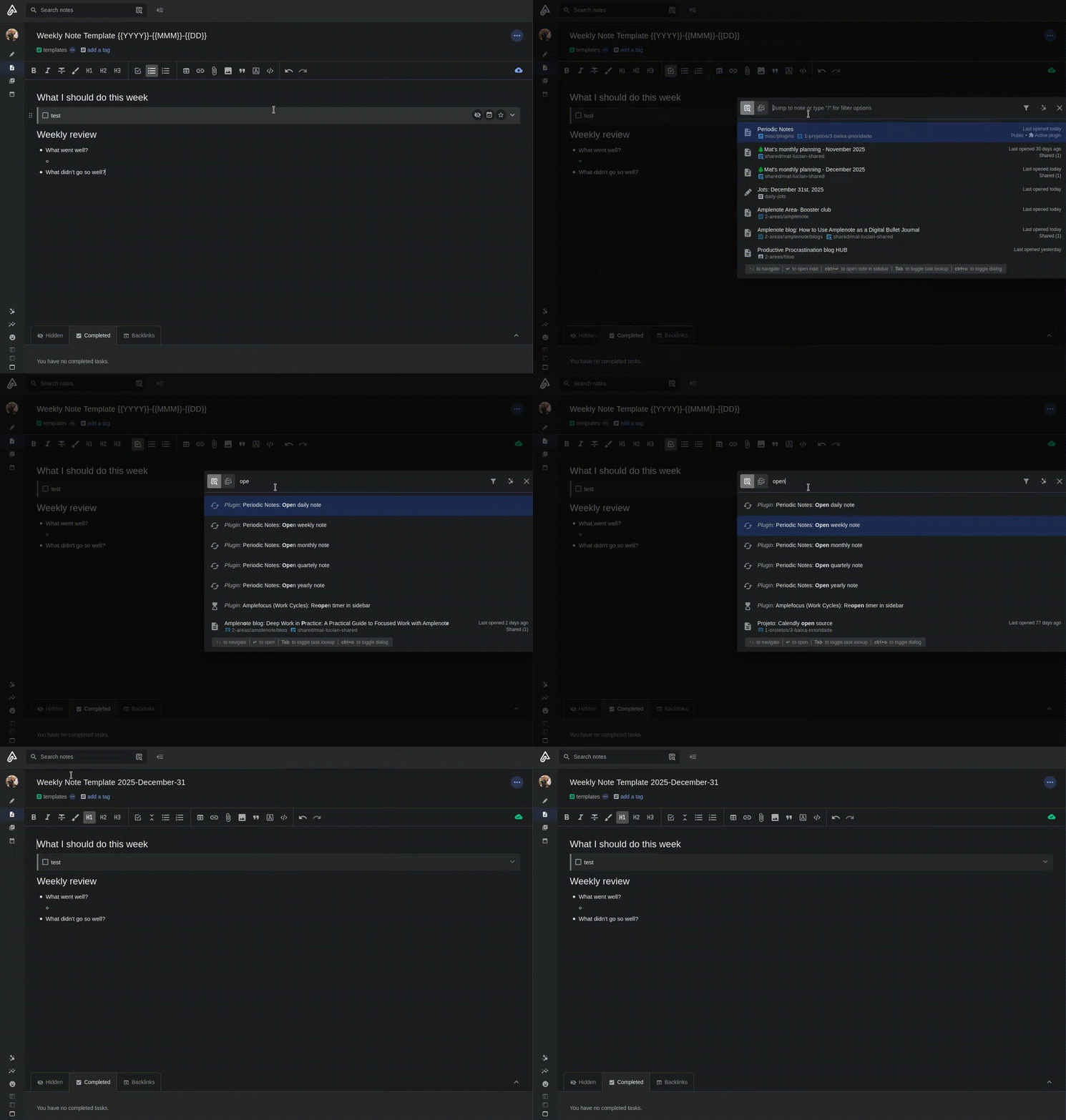 A simple plugin that helps you create and open regularly recurring notes — daily, weekly, monthly, quarterly, and yearly — using templates you already have. This project was inspired by the [Obsidian Periodic Notes plugin](https://github.com/liamcain/obsidian-periodic-notes). linkQuick start ✨Install the plugin in your app. Create one or more templates (for example, a "Weekly" template and a "Monthly" template). In the plugin settings, tell the plugin which template to use for each frequency (Daily / Weekly / Monthly / Quarterly / Yearly) through the note UUID of the template. Use the plugin commands (for example: **Open weekly note**) to open or create the note for the selected period. That's it — the plugin will create a new note from the template if it doesn't already exist. linkHow it helps you 🔧Automatically create a new note for each day, week, month, quarter, or year from a template. Open the note for the current period quickly using the plugin commands or Quick Open. Use placeholders (wildcards) in the template name to create unique, readable note names automatically. linkTemplate placeholders (wildcards) 💡You can put these tokens in the **template name** to make note names change automatically:
Examples: Template name: `Weekly - {{YYYY}} {{MM}}-W{{D}}` → Note created: `Weekly - 2025 10-W6` (if appropriate for your naming) Template name: `Monthly - {{YYYY}} {{MMM}}` → Note created: `Monthly - 2025 October`
linkUsing the plugin 📝Open a note for the current period: use the command **Open daily note**, **Open weekly note**, **Open monthly note**, **Open quarterly note**, or **Open yearly note**. If a note for that period doesn't exist, the plugin creates it from the corresponding template. You can find and run these commands from your app's Quick Open feature. linkTroubleshooting ⚠️If the plugin doesn't create notes, check that you set a template for that period in the plugin settings. If you have a very large number of notes and things feel slow, this is a known area for improvement (we're working on optimizing checks for existing notes). If you don't know how to find a template's UUID or ID: open the note on the web app, and copy anything after `notes/` on the URL. Alternatively, press `Ctrl + Shift + O` and copy the note identifier presented on the note details screen. linkDeveloper notes (for contributors) 👩💻Tests: Run `NODE_OPTIONS=--experimental-vm-modules npm test`. For continuous testing during development: -- bash NODE_OPTIONS=--experimental-vm-modules npm run test -- --watch` The project uses esbuild for bundling and Jest for tests. linkRoadmap & ideas 📅Improve performance for users with many notes. Add a simple UI to set templates without leaving the plugin settings (work in progress). More wildcards or customizable naming options. If anything in this README is unclear, or you'd like an example tailored to your app's setup, open an issue on Github or leave a comment on the plugin page. |
linkRoadmap & To-dos
linkCode block
Review new videos from the youtubers