Along with specifying wildcards that exclude files or directories from processing, GitClear also allows users to designate a file as "automatically generated" by submitting a case-sensitive string that only appears in auto-generated files.
The options for specifying a string as indicative of "auto-generated" is located under the Settings tab, then "Ignored & auto-generated files":
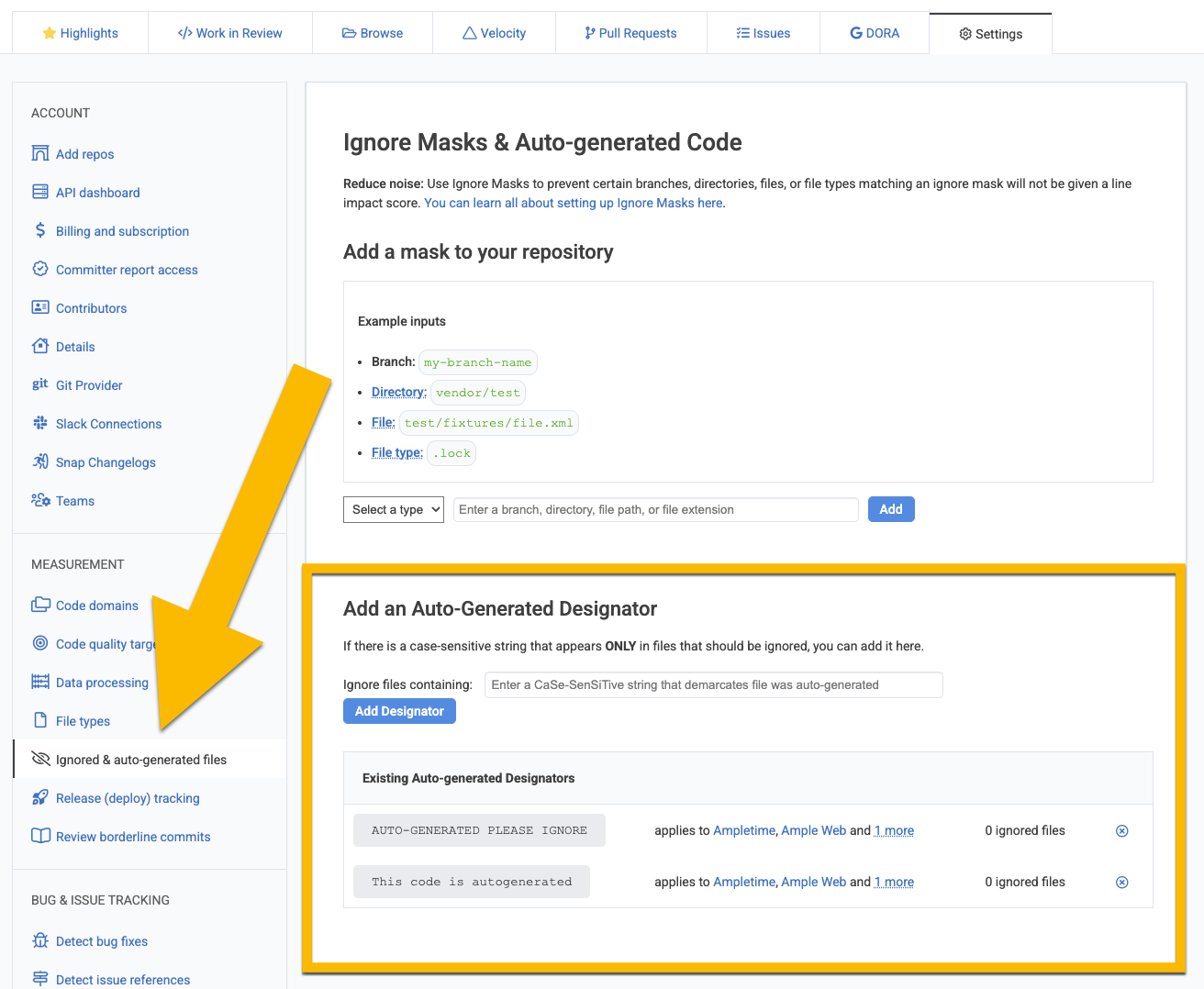
Depending on which resource you have selected when you visit the settings page, the string "designator" that is specified will be applied to a single repo, all repos in the organizations, or all repos in the entity.
After adding a new record, GitClear will check the contents of processed files for whether any match the case-sensitive string that was specified.
If any commit is found that contains the string, then the code file will be marked as "auto-generated," and no changes that happen in that file will be ascribed any Diff Delta.
For this reason, before adding an Auto-Generated Designator, you should be very, very certain that the string you have entered can not occur in files that might contain normal code. For example, simplify specifying the word "compiled" would likely result in many files being falsely labeled as "auto-generated," for example, if a code comment mentioned how the code would be compiled.
Before adding a string here, GitClear strong recommends doing a "find all" in your source code to confirm that the string does not exist in any file that should not be considered auto-generated.
linkTime to recognize auto-generated file
Since GitClear's policy is to avoid holding source code text in the database longer than a couple weeks (to allow for code review), it is not possible to immediately detect any files in the repo that contain the string. However, from the time that the Auto-Generated Designator is added, any new or re-processed commit that contains the file will recognize that the file contains the string when the file is processed to catalog the functions that occur within it.
In effect, this should mean that the file will be cataloged as "auto-generated" even if the string you specified was not visible in the diff to the file (though, since most auto-generated files change their entire contents when they change at all, this point is often moot).
linkChanging Diff Delta of previously processed commits
When a file is newly ignored, GitClear queues a job to re-process any commits that included that file, and reduce their Diff Delta by the amount that was attributed to the auto-generated file.
Likewise, if an auto-generated designation is deleted, GitClear reprocesses commits to re-add Diff Delta as appropriate.
However, both of these reprocessing tasks are placed in the "non-urgent" job queue, so it may take a couple days until the changes are fully reflected in repo stats.