Like any complex project that Alloy.dev undertakes with the expectation we will be among its users, this project was lots of fun to build!
There were several steps to creating Snap Changelogs (our branding for "automatically generated changelogs"), so here's a table of contents to let readers skip around to the part(s) they find most interesting:
Each of the steps involved complex decision-making, so hopefully you'll find them an entertaining read?
linkStep 0: What work is significant?
Since 95% of changed lines are noise, it's not an insignificant challenge to pick out what work contains the types of lines that represent real progress.
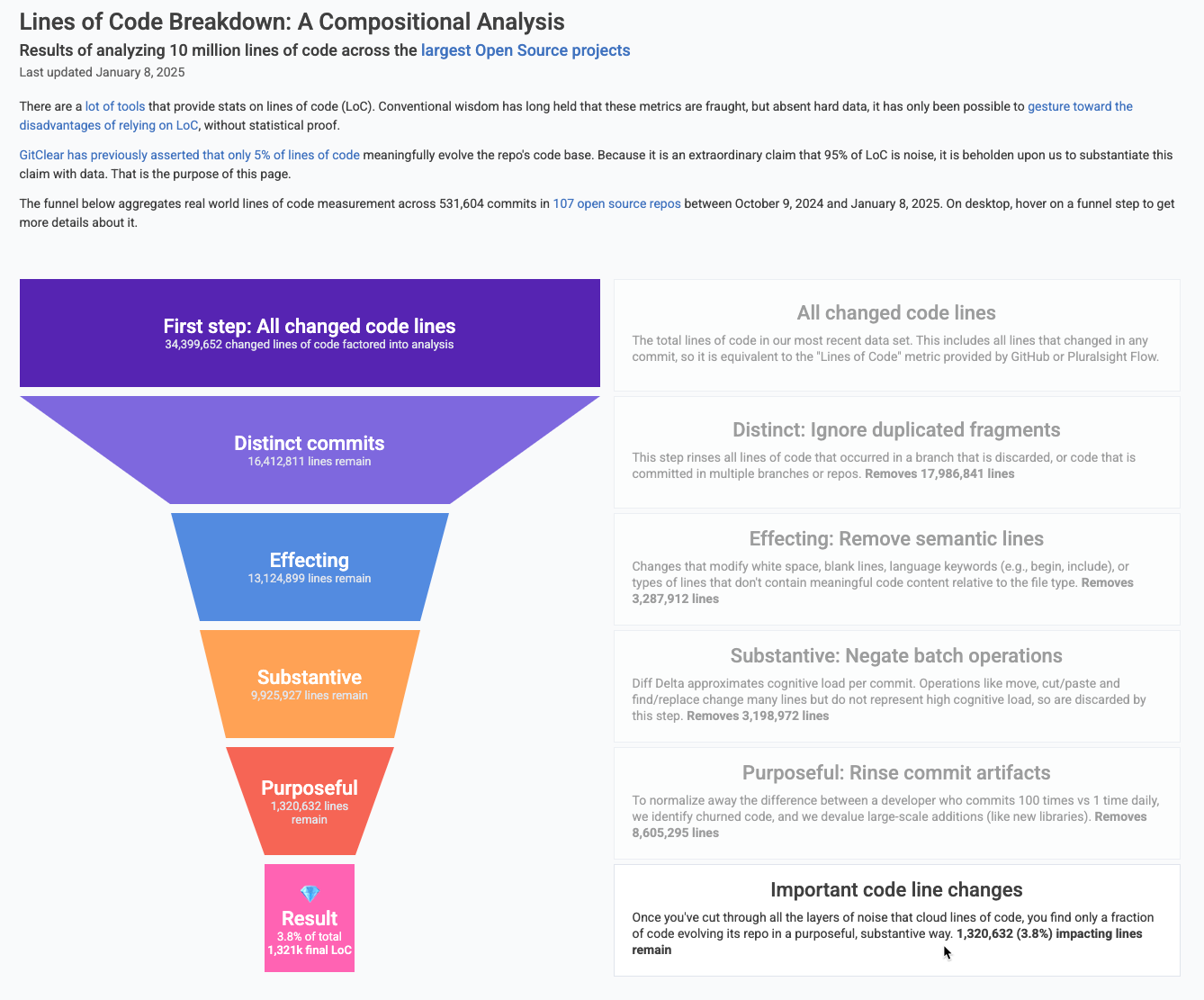
Our "minimum threshold" for "is it enough work" is based on Diff Delta, the composite measure of "how much did these commits change the repo?" that we have used and evolved for 5+ years. Previous research has empirically shown it correlates with "developer effort" more strongly than "Commit Count" or "Lines of Code."
GitClear publishes stats on the percentiles of how much Diff Delta is generated by various groups. As of 2025, the benchmarks look like this:
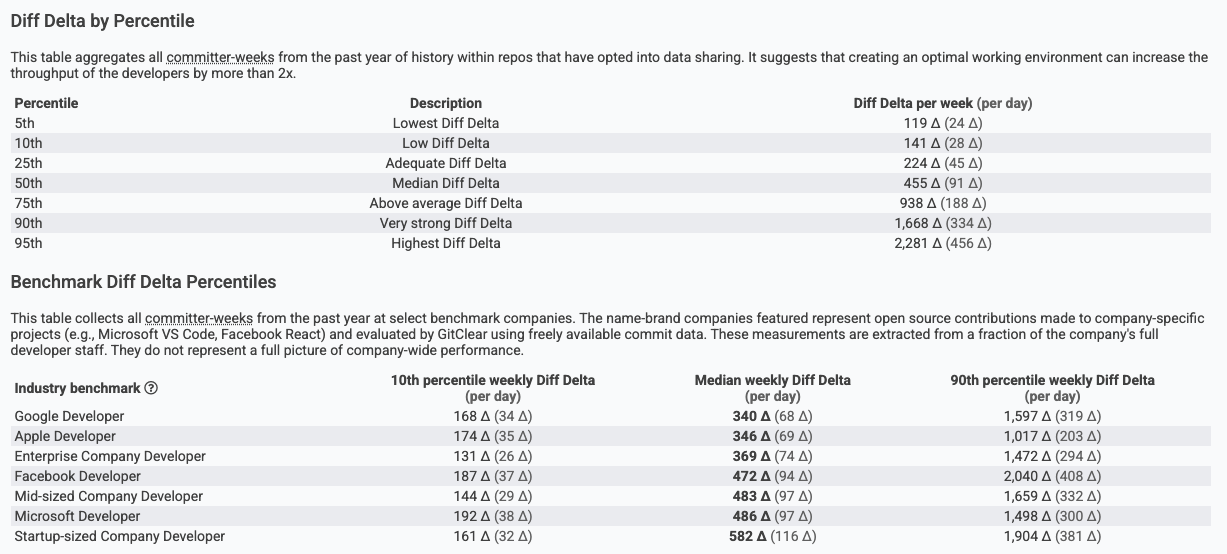
The media developer commits around 100 Diff Delta per day
Since the average developer generates ~100 Diff Delta per day, the average changelog represents around 3-5 days of work. If the developer wants their Snap Changelog to show more or less work than is automatically bundled, we offer a few options to size changelogs to taste.
But, in the normal case, where the programmer is too busy to remember to manually designate which work should be included as a single changelog, Diff Delta helps. It allows the system to know how long to wait between suggested changelog nominees. This is necessary since this tool needs to work equally well, whether the developer makes 20 tiny commits per day, or 1 big squashed commit per week.
linkStep 1: How to describe it?
There are many sources that can be used to provide a first-pass approximation of how to describe a set of commits.
First, as described in the Changelog setup documentation, any developer who begins a checkin messages with #pub can draft the title for how their work will be described. It doesn't need to be fancy! These are all commit checkin messages that we have seen teams use:
#pub Allow plugins to be rated by users
#pub Allow assigning before/after via keyboard
#pub Style forums list
Often times, even if the checkin note is only a few words, when you upload a screenshot, the picture tells the story better than words could.
For the case where the developer doesn't mark the commits that should be published, we use Commit Groups to combine work until it's in the 300-500 Diff Delta range.
If the work you have implemented is based on a Jira ticket or a pull request, those already have a built-in summary by virtue of their title. The title of the Jira is used to summarize the biggest 3-5 days of work that was done to implement the ticket.
If a Jira or pull request takes longer than 5 days to implement, it's usually best to break it up into multiple changelog entries, since a task of that size generally implies multiple pages or menus are being implemented. Each individual piece of a large implementation is often interesting (sometimes even inspiring) to an audience that is awaiting its launch. Plus, when a Jira gets broken into many changelogs, customers can individually praise each of the pieces, according to how excited they are to use it.
If the commits do not reference an issue or pull request, or if there are multiple commit groups that implement a single Jira, the changelog generator will use methods to derive summary and description for Commit Groups when teams don't use Jira.
linkStep 2: How to connect a screenshot upload to a set of commits?
This is the step that only became possible in the past year. When a developer uploads a screenshot or video of their recent work, we first let them answer a couple clarifying questions about it:
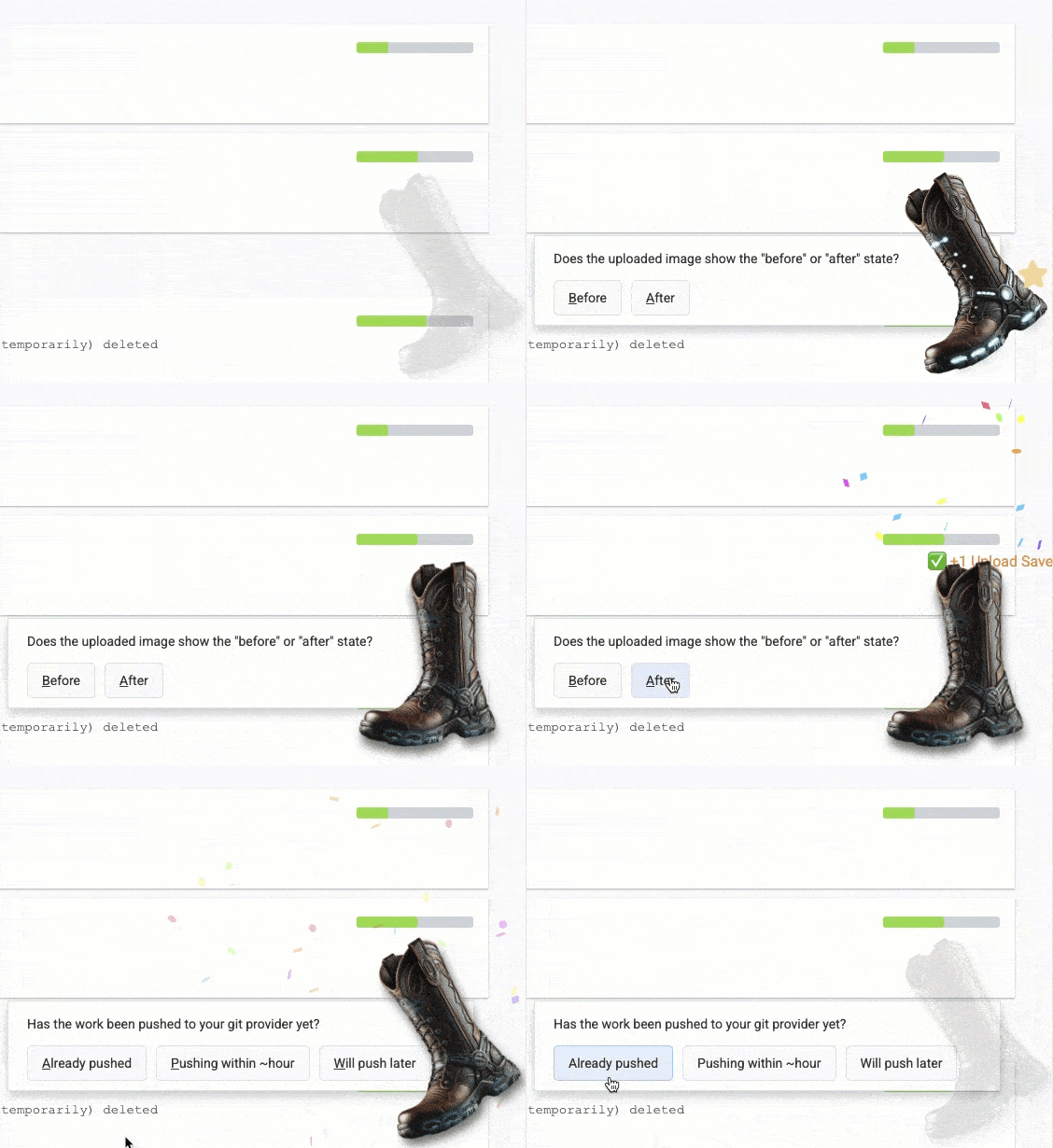
Upon pasting or drag-and-dropping a picture, you can provide a couple extra details
The first question ("Is this a before or after image?") ensures we structure the changelog according to user intent. The second question ("Has the work been pushed yet?") allows us to derive the timeframe for when to start querying our AI APIs about which change this image belongs to. Armed with this data, we base64 encode the image and send it along to Claude for analysis:
Note that the media_bytes we're sending get processed to a max height/width of 800 pixels. We could probably send smaller images and still receive detailed descriptions, but we haven't had any problems yet with sending Claude images of this size (even though they bloat by virtue of being base64-encoded), so we're erring on the side of "more detail" until we have a reason not to.
After sending the above prompt to the Claude API (via its default endpoint, https://api.anthropic.com/v1/messages), we receive back a paragraph description of the uploaded content. For example, we recently sent this image:
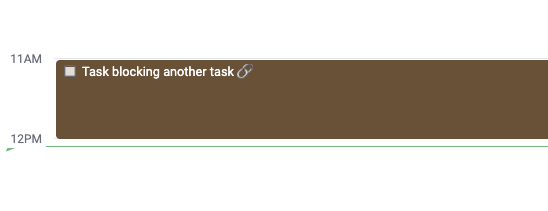
An image that was interpreted by Claude
Honestly, as a human, I don't know how many words I could conjure to describe such a boring, basic image. But Claude, on the other hand, has much to say about the brown box in question:
This appears to be a screenshot from what looks like a calendar, scheduling, or project management interface. The image shows a time range starting at 11AM and extending to 12PM. Within this timeframe, there's a brown/dark colored block or task bar with the text "Task blocking another task" shown. The interface appears to be using a minimal, clean design style typical of modern productivity software. This kind of view is commonly used to visualize task dependencies or scheduling conflicts in project management tools.
I've been consistently impressed at how detailed Claude is in its image descriptions. Here are a few other examples of where this technology is at as of 2025:
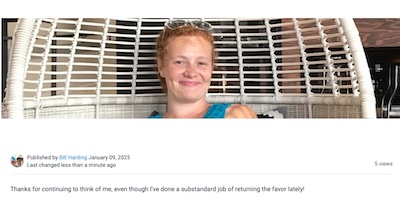 | 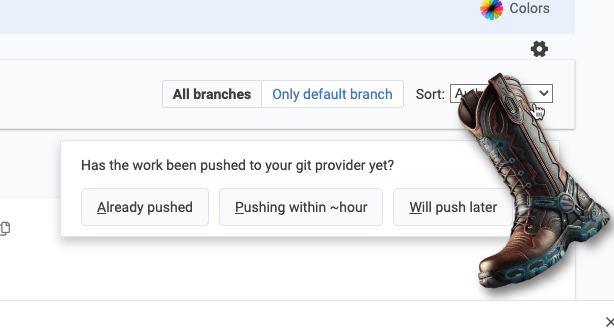 | 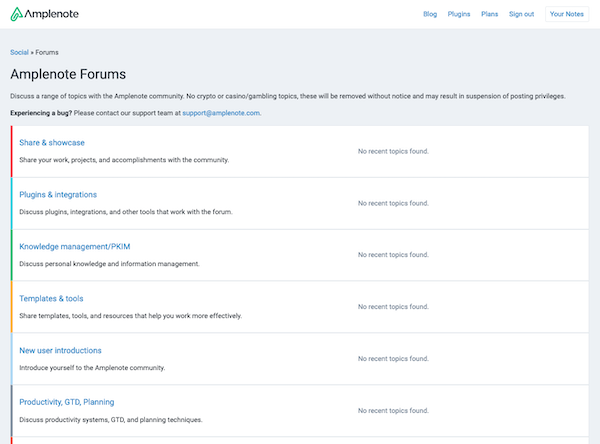 |
This appears to be a screenshot of a social media or blog post. It shows an image of someone sitting in what looks like a white hanging egg or pod chair. They're wearing a bright blue top and have a warm smile. | This appears to be a screenshot of a Git interface or version control system dialog. The interface shows several elements: | This is a screenshot of the Amplenote Forums page, which appears to be a community discussion platform. The page shows several forum categories but indicates there is currently no activity with "No recent topics found" displayed for each section. |
Now we have a robust description of an image, and an array of work items that were authored in temporal proximity to the screenshot. You can probably now see the outlines of how this will come together?
But in case you can't: From here, we ask Claude, ChatGPT, and our own LLM to assign a numeric rating, representing the likelihood that this image corresponds to each of the changelogs that were identified during the expected time range. If two of the three AIs agree on which changelog represents the best match, we will assign the image to that change.
Next time the user visits their "Changelog Review" tab to see which changelogs GitClear has found lately, a clickable notification allows the user to review newly assigned images. Never hurts to ensure that the AI chorus got it right.
If we observe more than 5% false positives, we will increase the threshold of certainty required by the "AI evaluator trio."
linkStep 3: How to get this thing to embed anywhere from a GitHub Profile to a third-party website?
In order to let the array of changelogs (aka Snap Changelog) live a double life as either an image, or an interactive component, requires a few last tricks from the bag.
The canonical representation of a Snap Changelog is a React component with props that correspond to the options the user chose when they set up their Snap Changelog.
Normally we render that component on a standalone page that corresponds to its UUID, for example, the canonical Snap Changelog for GitClear can be observed here.
To translate this to an image, we render it in an async process that uses the Watir gem to take a screenshot of the component:
That captured screenshot is served to browsers from the URL of a png. For example, this image URL:
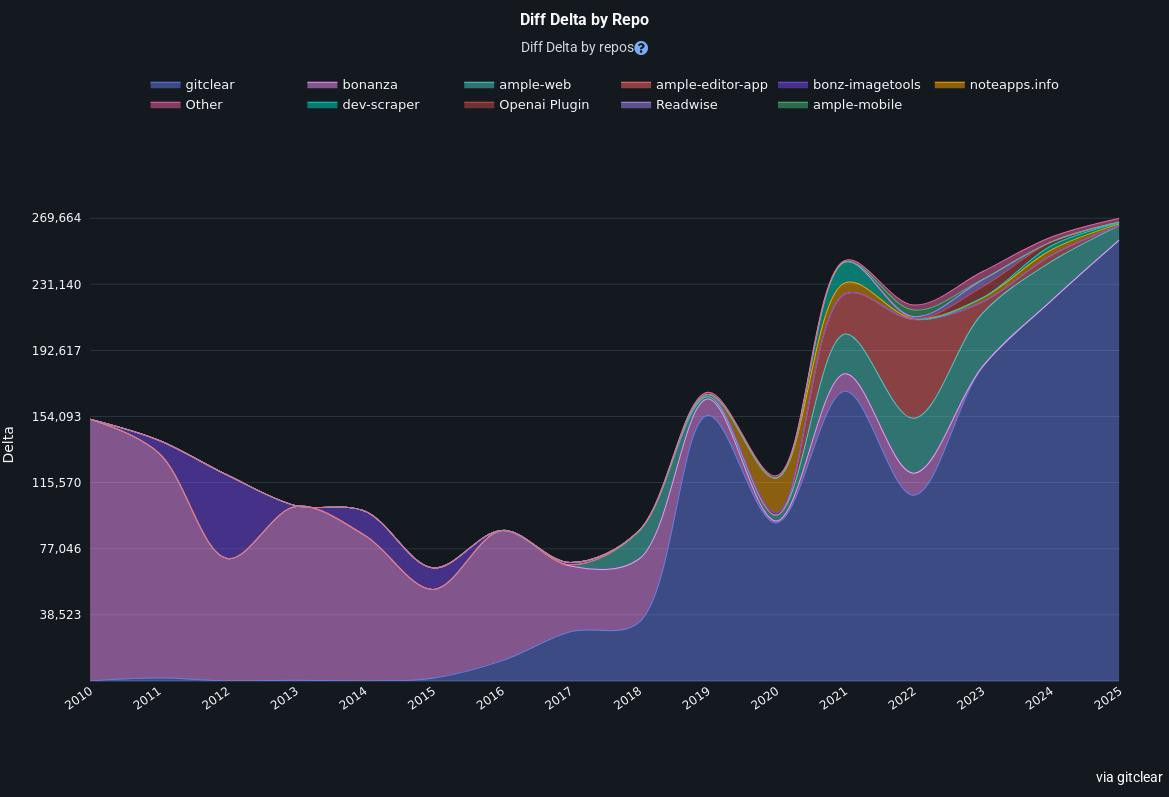
Shows how much (and what) I've been programming over the last 15 years, on my GitHub profile (and now in this blog post) with data that updates every 15 minutes or so. To get it showing on GitHub, I just edited the profile Readme file that GitHub offers to every user.
linkEpilogue: Why share all this in-depth "trade secret" detail?
Three reasons:
1. Hacker News proves that developers are, for whatever reason, an unusually curious lot. Paul Graham himself has tweeted something to the effect that "if you want to get a top-rated post, explain something familiar in max detail."
Even though Snap Changelogs don't qualify as "something familiar," they might spark interest as a case study example of a feature that could not have been built a year or two ago.
It may also be interesting if the reader happens to work in a domain where they could benefit by pairing images with content?
At any rate, to realize a future where every open source GitHub project has its own auto-generated gallery of screenshots+descriptions showing its latest improvements, we are going to need a lot of support from the developer community.
2. We expect programmers will initially be dubious that an "automatic changelog generator" could work. There is a long history of teams suffering through the chore of scouring their internal systems (Jira, GitHub, email, etc) to ascertain what the "big changes" have been since the last update. It will seem implausible to many that this chore can be automated, but by describing the steps that make it possible, we hope to dispel the otherwise-reasonable belief that this is some sort of handwave-y marketing gimmick.
There were zero marketing professionals involved in the creation of Snap Changelogs. This feature is being "marketed" as only a developer can: by geeking out on the mountain of tiny implementation choices that sum to a nifty whole.
3. If a competitor uses this post as a recipe for creating their competing "Automatic Changelog Generator," it will prove that the market recognizes value here. Even though Snap Changelogs have allowed our team to document incremental features+bug fixes better than we ever did before, we are a mere n=1. This market needs to be validated, and we're willing to publish trade secrets if it means that others will join us in the pursuit of eradicating time spent researching+writing changelogs by hand.
Besides, by the time the clone of Snap Changelogs v1 could be completed, we will have moved on to Snap Changelogs v3, so 🤷