By default, Azure Devops (ADO) usually works like all GitClear git integrations: you log in to your ADO account from the GitClear "Sign Up" page, then you are redirected to a page that lists all of your company's organizations, and the repos in each organization that can be selected for processing.
As the most "enterprise-y" git provider supported by GitClear, Azure offers a plethora of configuration options, some of which can inhibit your ability to connect to your Azure repos. This page collects all known settings that may need to be changed/enabled in order to successfully connect GitClear to Azure Devops repos.
linkAzure Login Concepts
The main two terms relevant to establishing a connection with GitClear are "tenant" and "account type."
A tenant can be thought of as "the owner of the Azure organizations." To view which tenants are available to your Azure account, visit this page. The "Microsoft Account" tenant is known as a "Personal" Azure account type, which as of Q1 2026 require some extra steps to connect to GitClear.
A "business," "enterprise," or "organization" account type can all log into GitClear directly without any special configuration. This "no configuration" includes any page that asks about "Tenant ID," which can be left blank.
If you have an Azure personal account (steps to confirm, if you're uncertain), you can still connect to GitClear -- but you'll need to combine the Ensure Entra Connection section, with specifying the tenant ID of your "Default Directory" tenant. The "Default Directory" is automatically connected to Entra, so this tenant can grant the access necessary to retrieve git activity.
linkDiagnosing Login Issues
For most Azure users that log in to GitClear, no special configuration should be necessary. All you'll need to do to login is to agree to the permissions that are presented by Microsoft:
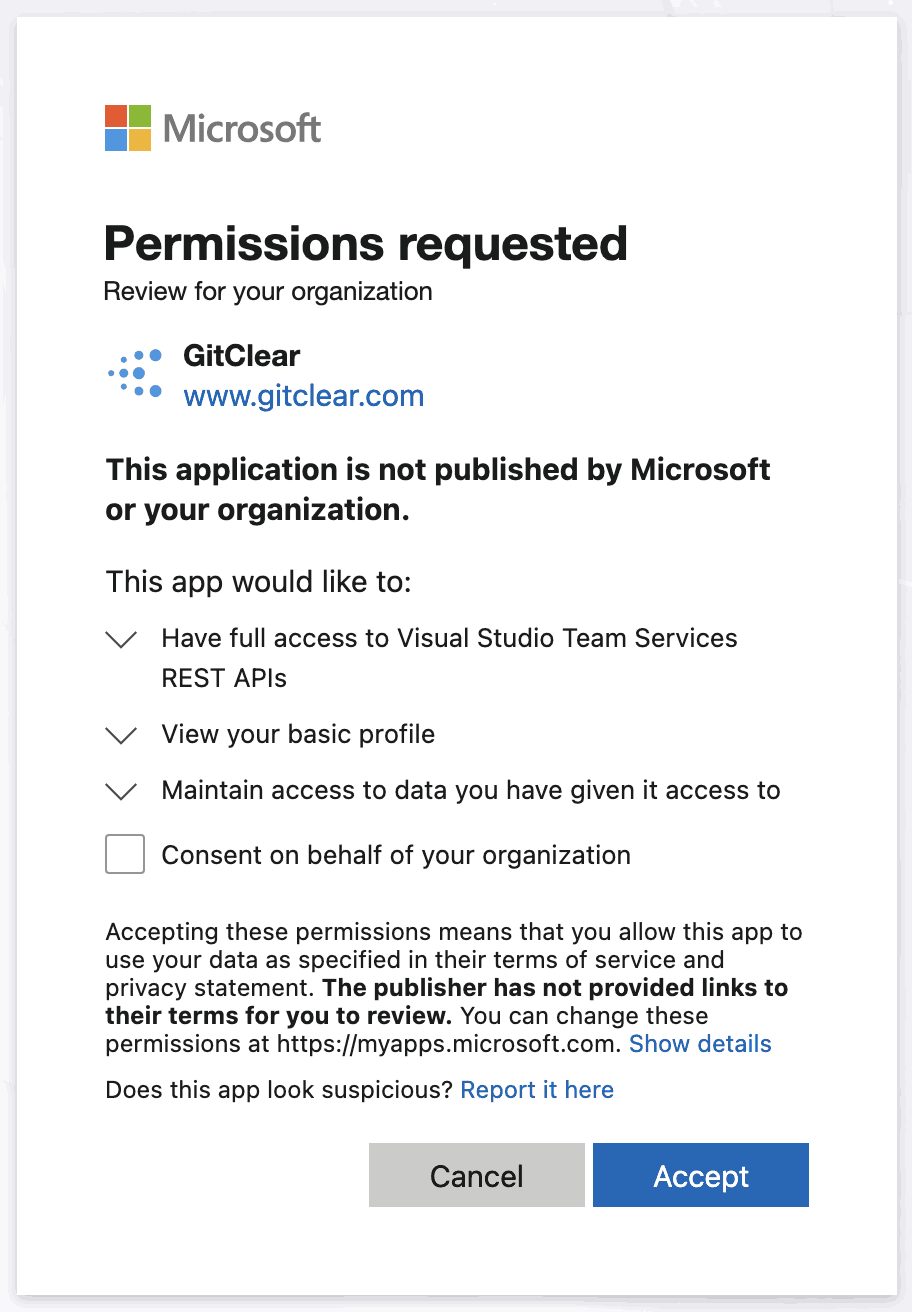
Expected permissions needed
But sometimes, it's necessary to double check your tenant or organization's settings to begin your GitClear import.
linkEnsure your account has a Default Directory tenant, or is a native "Org" or "Enterprise" account
For Microsoft users who create an Azure account after logging in, their account is deemed a "Personal" Azure account, which is not accessible to external APIs without changing several settings. In order to enable access to external APIs from a non-enterprise account, you need to ensure you have an Azure organization within the "Default Directory" from the "tenant selection" page:
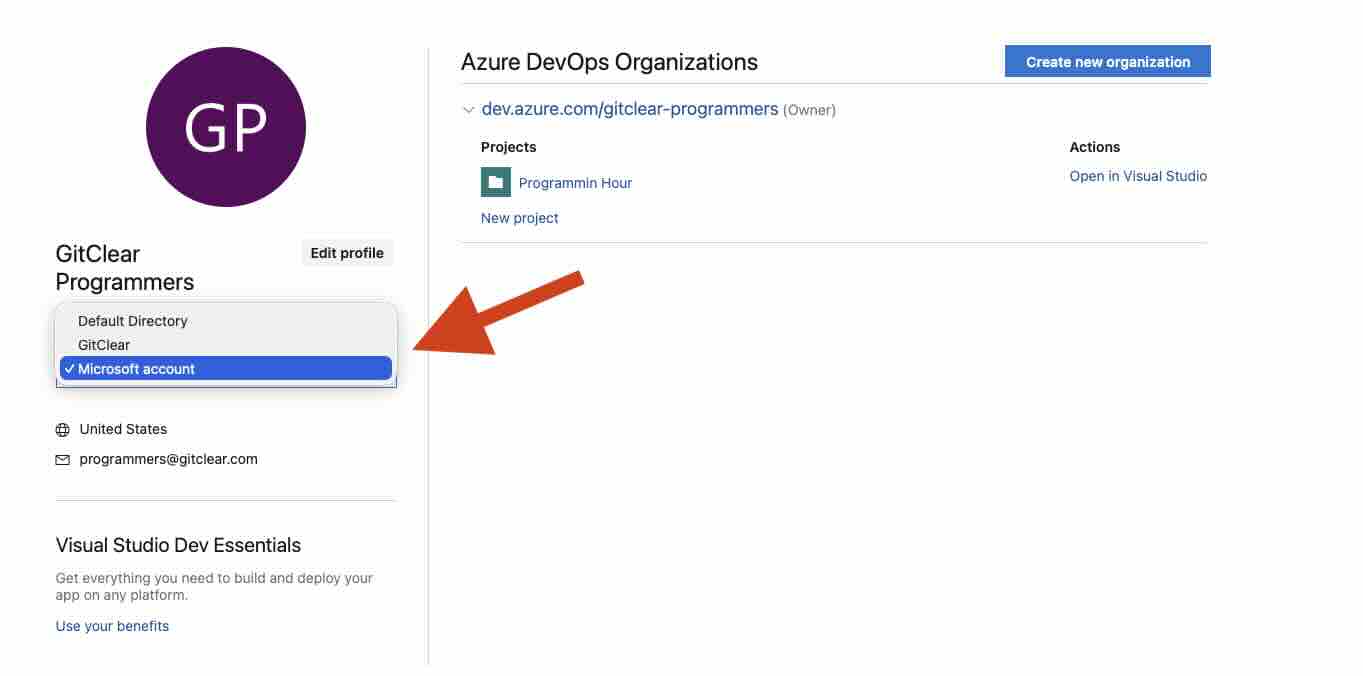
Choosing tenant to prove a "Default Directory" tenant exists
Once you've set up organizations within your Default Directory, you will need to copy the tenant ID of your "Default Directory" account. To retrieve your tenant ID, visit the Microsoft Azure Portal, click "Overview" (if not already selected) and click the "Copy" icon next to "Tenant ID"
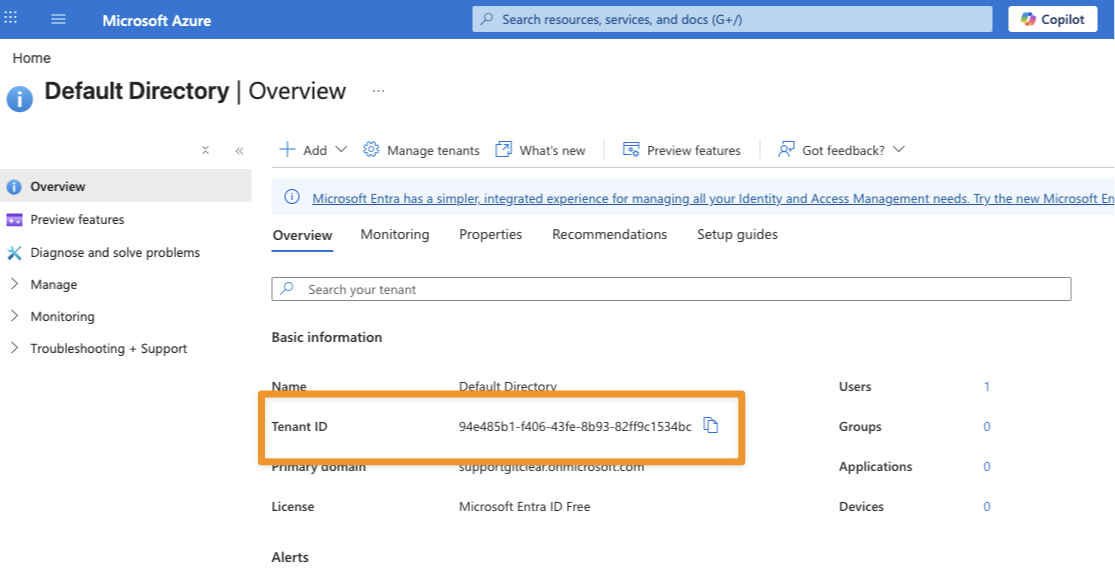
Copy Tenant ID from "Overview" page of Azure Portal
Then, enter this Tenant ID when prompted by GitClear upon initiating Azure login.
linkEnsure application is connected to Entra ID (for personal/Microsoft Azure accounts)
In order to enable login,s the Azure tenant must be available to Microsoft Entra. You can confirm that your organization is connected by visiting "Microsoft Entra" under "Organization Settings." If your organization has not yet been connected to the Entra directory, the page will look similar to this:
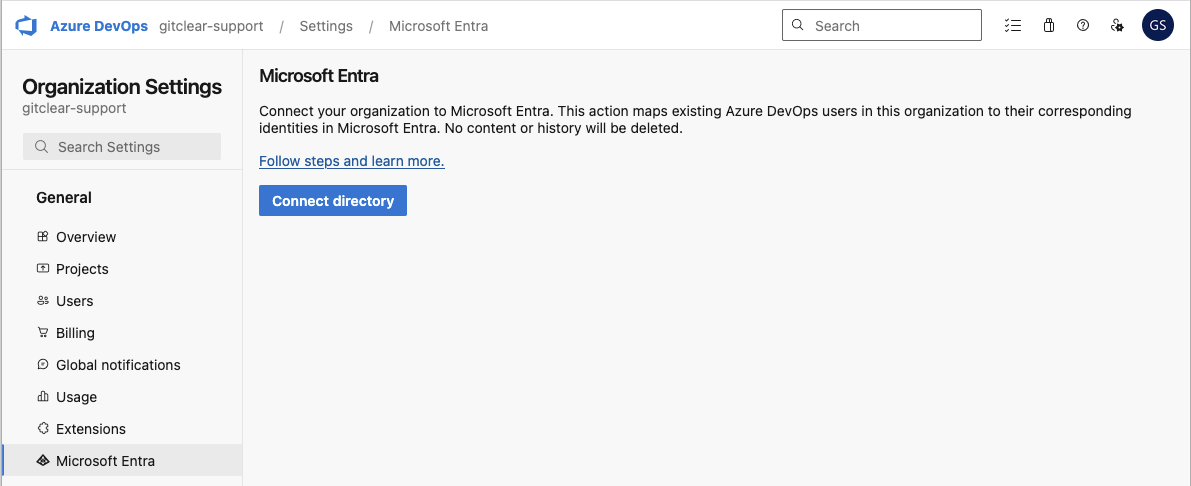
Clicking "Connect directory" will initiate the process to make your organization available to external services like GitClear. The "Connect Directory" button typically offers to connect the organization from your personal "Microsoft Account" tenant to the "Default Directory" tenant that can be individually selected & configured from the Microsoft Tenant Selection page.
link"This username may be incorrect" - Account not recognized
When a user logs in with an Azure account that has a personal tenant (e.g., "Microsoft Account" on the tenant selection screen), Microsoft's fails to allow login because the "Account Impersonation" permission that Microsoft recommends to grant repo access is not available to "Personal" account types. The way that Microsoft communicates this limitation is by failing to recognize a "personal" Azure account when logging into the default ("common", aka the tenant you get if you leave the field blank when prompted for your Azure tenant during login) endpoint.
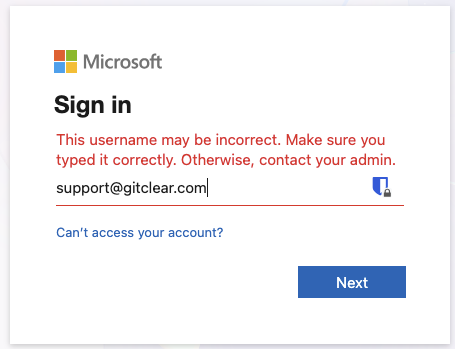
Error provided when logging in to a Microsoft account with an account that has a personal Azure organization present
To get avoid this error, you need to either:
Log in to Microsoft with an account that does not have any Azure repos connected with a personal account (this error does not apply for a Work account, aka an "Organization" or "Enterprise" account)
When logging in to GitClear, specify the tenant ID for your "Default Directory" (non-Personal, Entra-connected) tenant. See the section above on "Ensure your account has a Default Directory tenant"
Steps to confirm that you are trying to log in with a "Personal" account vs a Work account, if you're unsure what kind of account type you have.
linkEnsure Oauth login enabled
This is typically enabled by default, you should only need to visit this page if you had an admin previous change the setting.
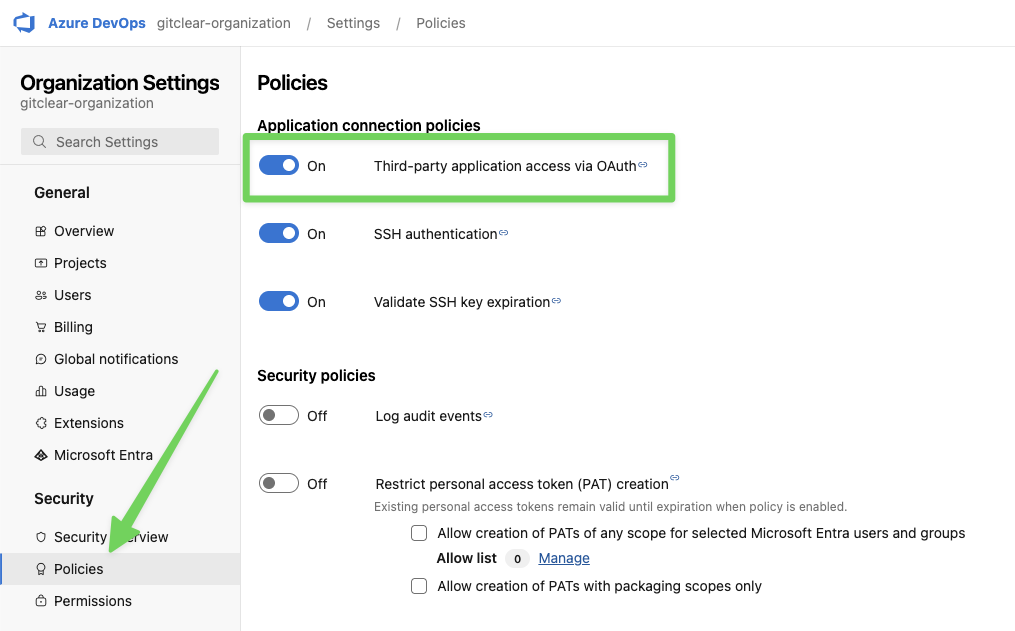
Industry-standard Oauth login is used to connect GitClear to an Azure Devops account. Most customers find that their organization automatically allows login via Oauth, but if you are not provided a list of repos to import after logging in via Azure, one debugging step we recommend is to confirm that third-party Oauth access was not disabled in your organization.
You can check your organization's setting by visiting the "Organization Settings" after logging in, then clicking "Policies" tab under "Security."