Often when reviewing a pull request, the context available to the reviewer is minimal. When attempting to understand what changed, it's always possible to inquire with the code author, but the more comments you leave, the more of their time is required to finish the work.
Enter Pull Request Review Assistant.
When you're reviewing a PR, ask it any question, including a few one-click questions that GitClear recommends based on contextual relevance.
This feature requires an Elite subscription.
linkInteracting with Pull Request Review Assistant
To access the assistant, click the usual "➕" icon to open the comment form. Within it, you'll find clickable options to dig into various questions:
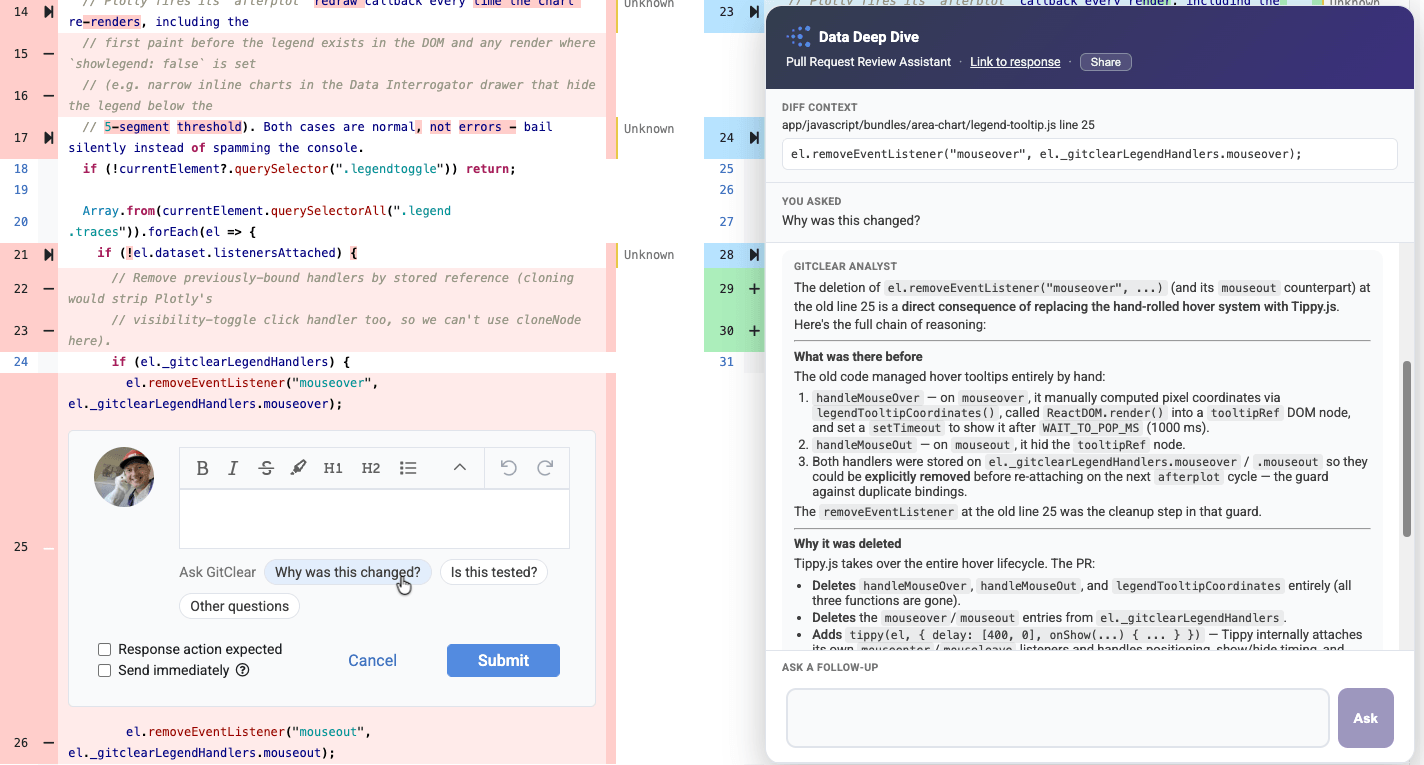
One of the more common questions is simply "Why was this changed?" Of course, hovering on the line number next to the change will give a hint, since that will show the explanation provided by the committer when they authored the commit. But typically, committer messages max out at a line or three, and what you want to know is a deeper dive than a two line commit message.
If you are viewing diffs through Diff Digest, ensure that you have provided an AI API key in order to access Pull Request Review Assistant. We are unable to package a global LLM key for the Diff Digest client.