Normally repos are added to an account by specifying individual repos/organizations, or upon git provider sync request. After initial account setup, it can be convenient to automate the process of repo importing, so GitClear offers a few options to support this process.
If your git repo is hosted on GitHub, GitLab, or Bitbucket, you have the option to automatically trigger new repo imports. This help page describes how.
linkControlling automatic import setting
When logged in to GitClear as a user who has access to the "Settings" tab, choose your entity from the resource selector in the upper left (it is usually chosen by default upon login) and then visit your "Settings" tab. Ensure that you are visiting the "Details" tab within Settings. Here you can find the toggle to control how newly detected repos are handled:
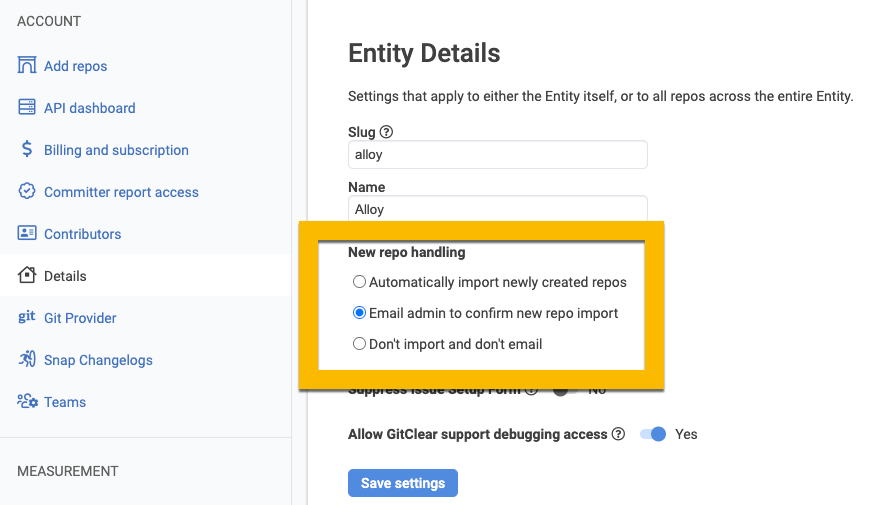
Choosing how GitClear will process newly discovered repos in GitHub, GitLab and Bitbucket
The three options available function as follows:
Automatically import newly created repos If a repo is newly created at your git provider, it will begin importing into your repo in about a day after being queued
Email admin to confirm new repo import If a repo is newly created at your git provider, we will send an email to the users that are designated "Admin" (usually just the first user who signed up for GitClear) with a button to confirm that you wish to begin importing the newly created repo into GitClear
Don't import and don't email is pretty self explanatory