There are many systems at GitClear designed to help detect when a developer might be stuck. For example, on the Commit Activity Browser, the "info" icon will show if a developer is having one of their lowest-authorship weeks of the year:
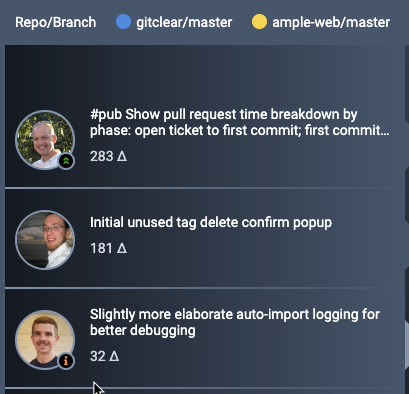
"Info" icon normally shows when low activity detected
There are also a variety of notifications and goals that are triggered by a committer that is unexpectedly missing from the team.
That's why GitClear offers many ways to record when a developer is on PTO (excused absence). By logging when a developer is away, you don't receive any of the usual notifications that can follow when commit volume unexpectedly plummets.
linkAutomate time off via API
For teams with more than a few developers, the best bet is usually to automate recording time off by using the Developers API:
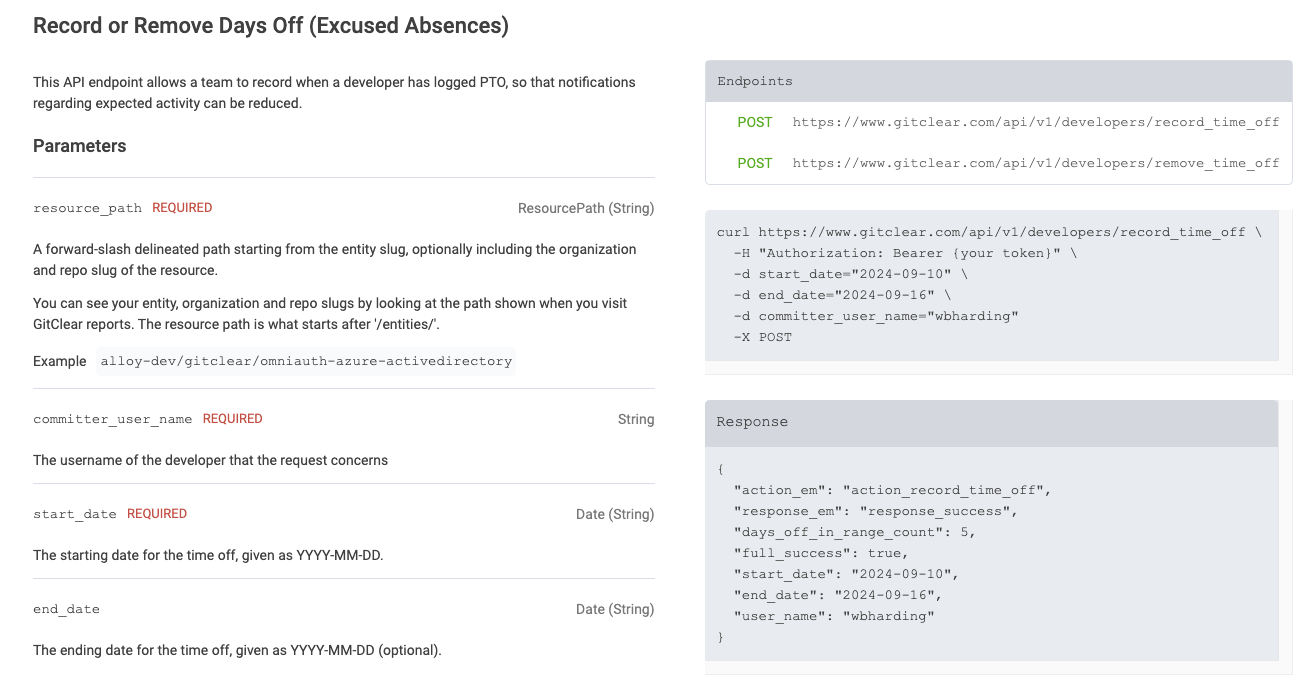
Documentation and example of recording time off for a committer via API
If you can generate an API token from your API dashboard.
linkRecord time off via Commit Activity Browser
By hovering on a committer's avatar in the Commit Activity Browser, you can access a link to record time off:

Hover on committer icon, then move mouse up to "Record time off" link
Recording time off generally requires either A) manager-level role on the team, or B) having the committer in question associated with your user account, in which case you can record your own time off. ✨ Upon clicking to record time off, you'll get a form where you can record a date range, or just a single date:
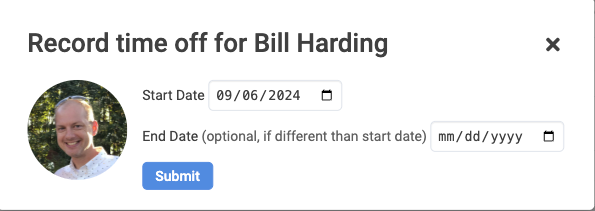
Choose a Start Date, and an End Date, if the time off extends longer than one day.
linkRecord time off via Contributors list
You can also visit Settings -> Contributors to record time off:

Click the gear icon on a committer's row to access actions including "Record time off"
This can be a good place to log upcoming time off if you want to record a batch of upcoming/recent time off.