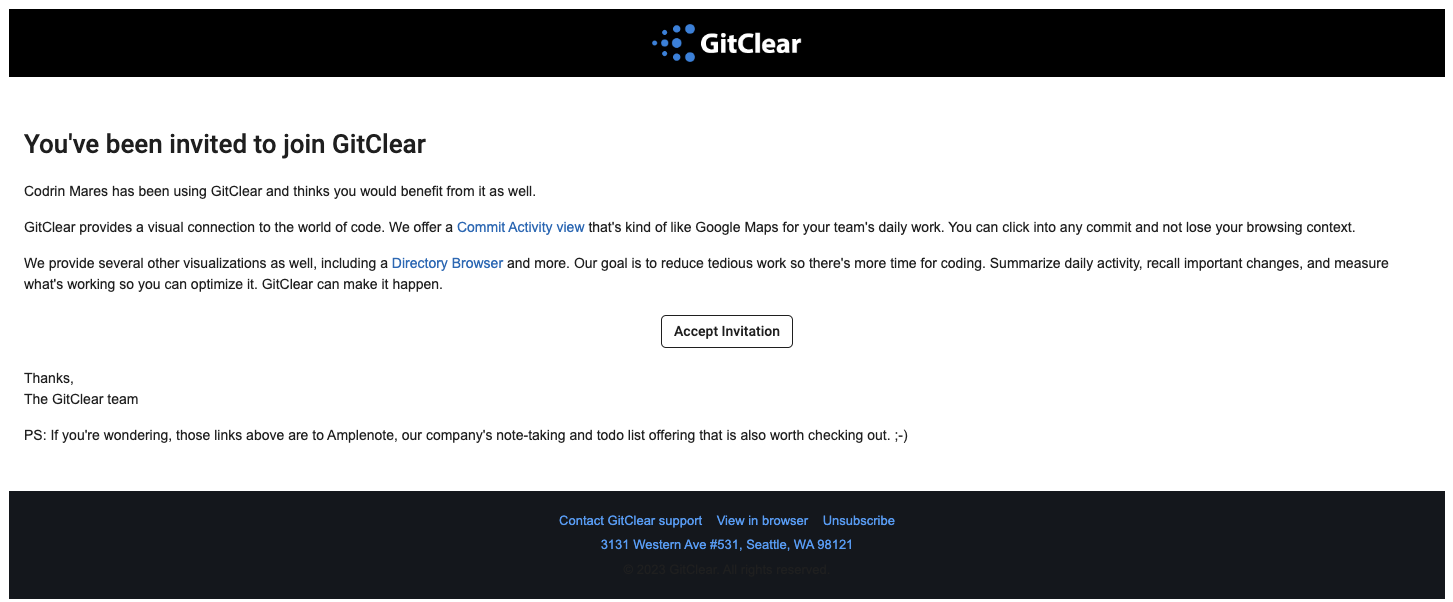
Inviting new users into your GitClear entity is free. Invite managers and developers alike to make the most out of GitClear's reports.
New users don't need to create a GitClear account before you can invite them. The best practice is for new users to click on your email invite or invite link to create an account directly linked to your entity.
linkUsing Invite Link or Email:
Here's how to quickly invite new users via the Settings => Teams page.
linkInvite via Invite Link
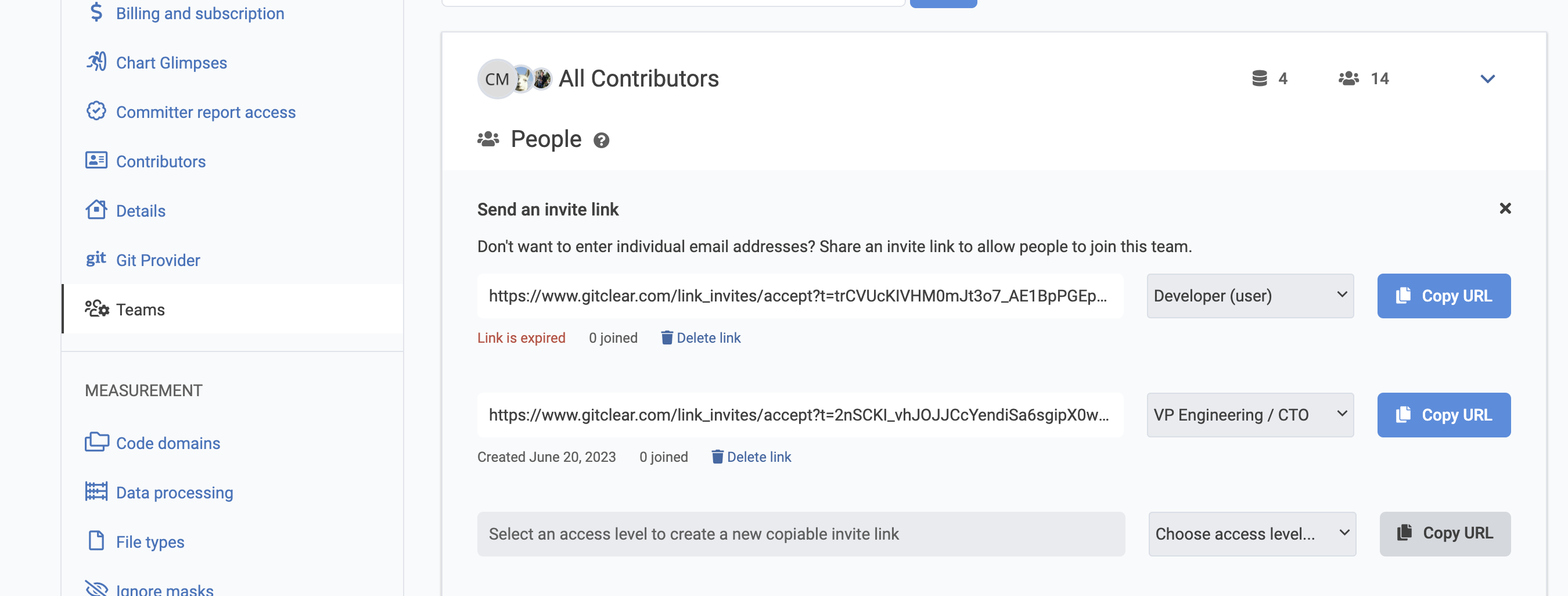
"Invite Link" is usually the fastest & easiest option to onboard new users to your account. This method lets you generate a link team members can click to join your team with a chosen level of access (e.g., "Developer," "Manager," etc).
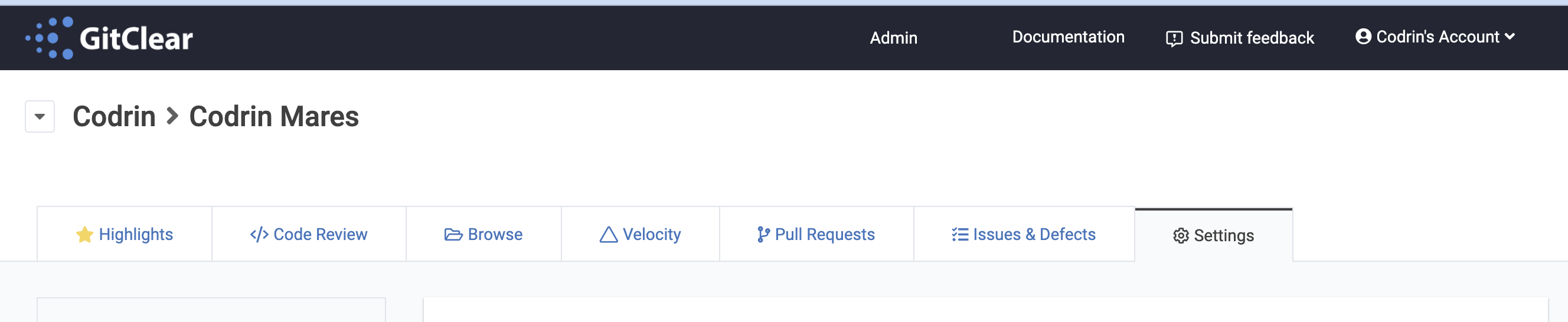
Log in to GitClear and click on the Settings tab
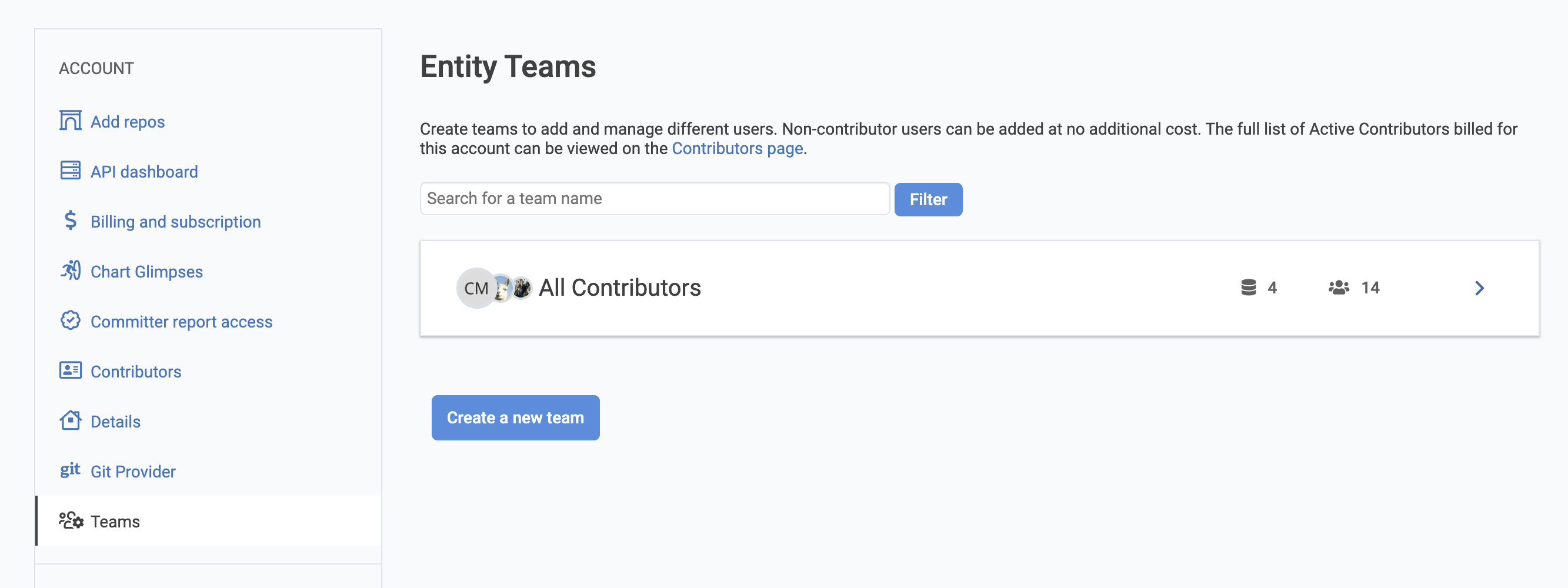
Check out the left sidebar and click on the Teams button under the Account section
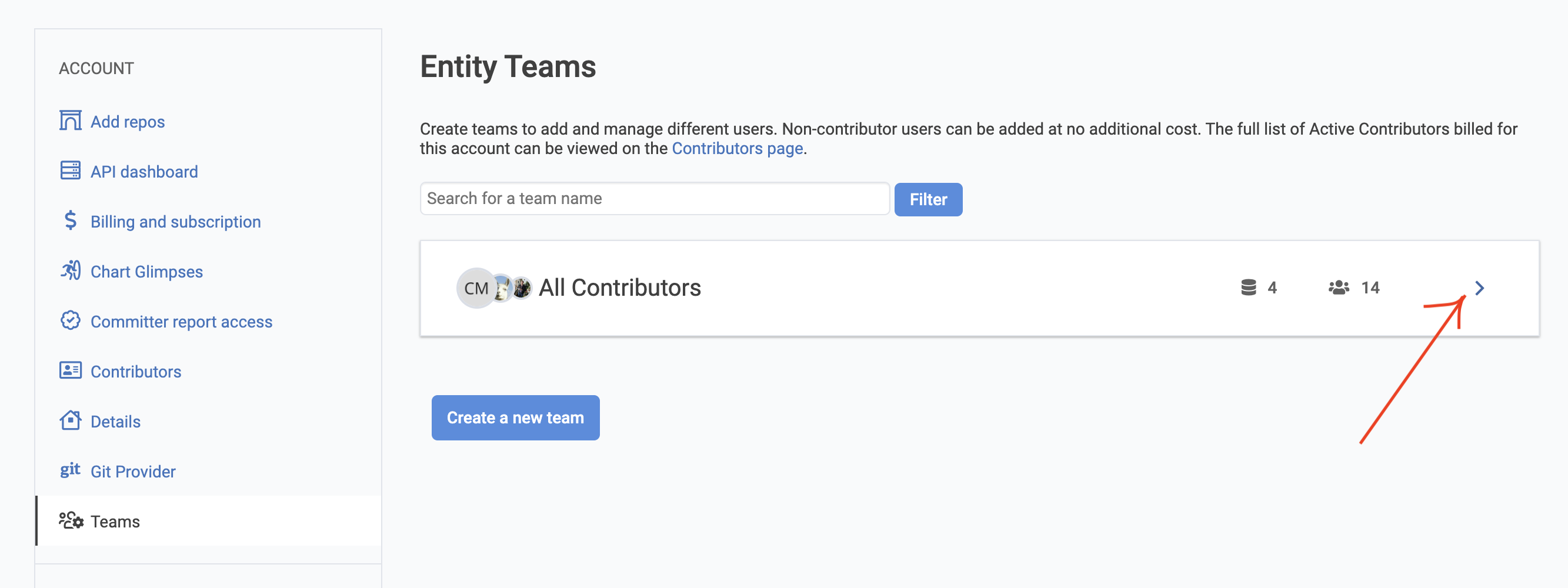
Click on the right arrow of the team you want to invite users in
Click on the "Get an invite link" button
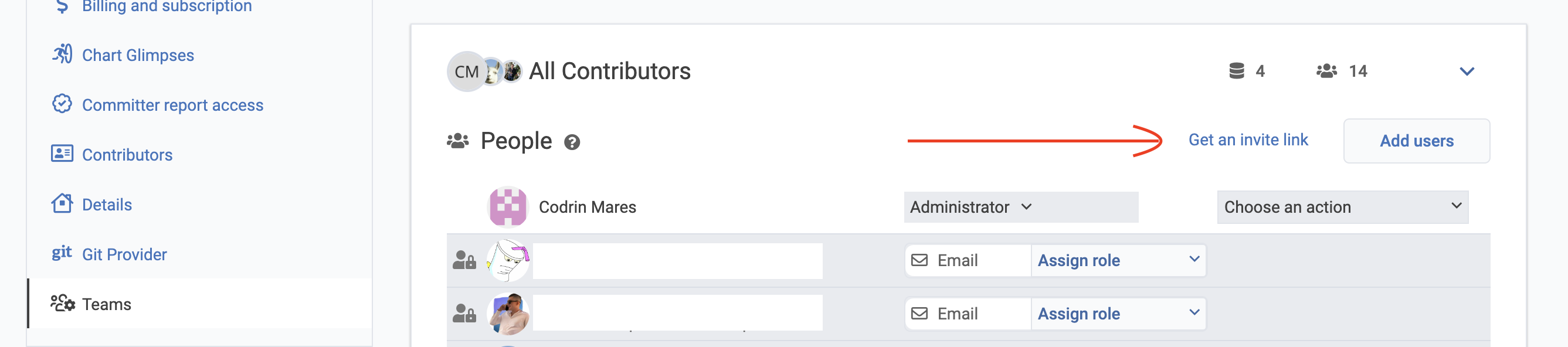
Create invite links for any level and share them.
The same link can be used for multiple invites. Links will expire after 2 weeks.
linkInvite via Email
Alternatively you can send them an invite email to provide access to the GitClear app:
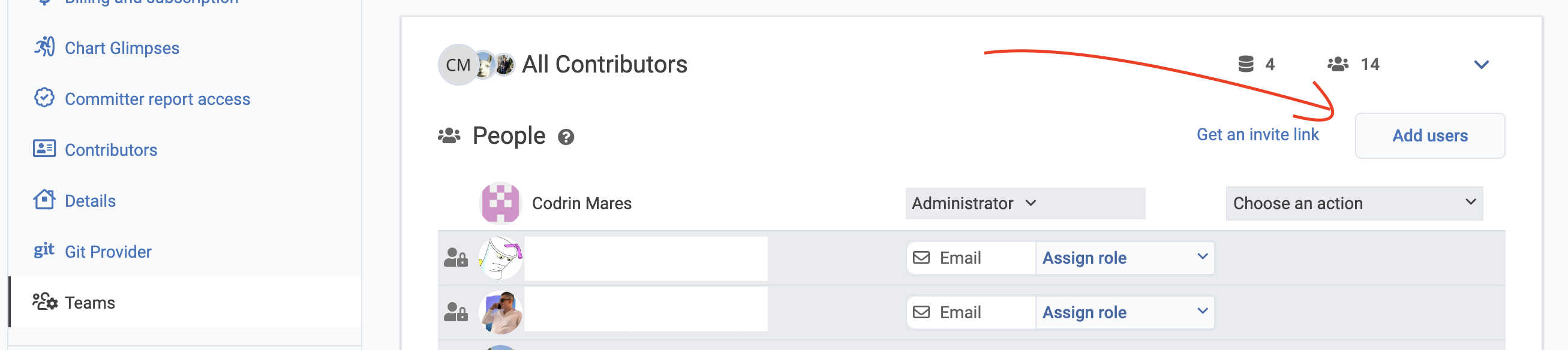
Click on the Add users button to invite via email
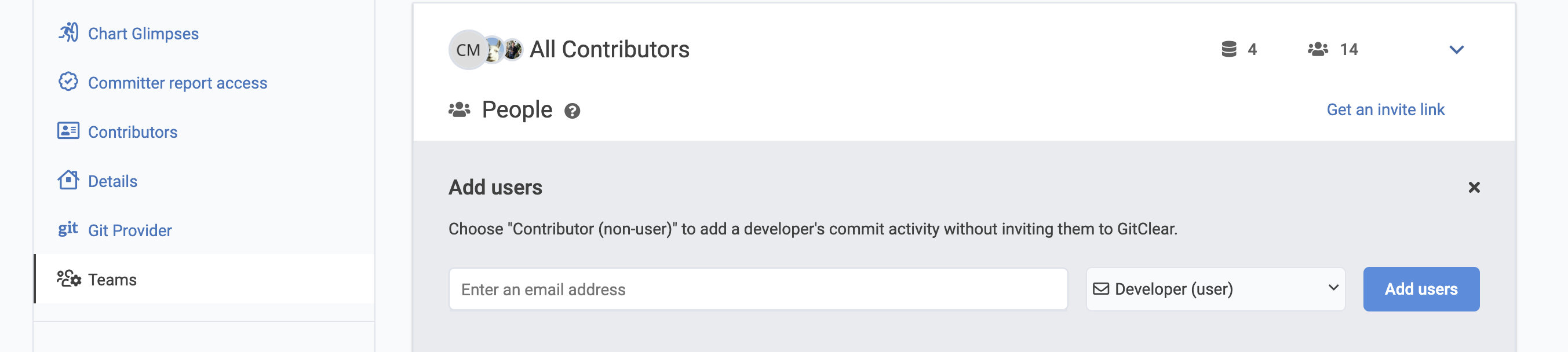
Adding users:
Add 1 or more user email addresses (press the Enter key after each one to register it).
Select the users' role in the team (ex: Developer/Manager/VP/etc.). The selected role will control their data access.
Finalize the process by clicking the "Add users" button and the email(s) will be sent.
linkEmail invitation example