Diff Delta is the foundational metric GitClear employs to interpret "how much meaningful change is occurring" in a repo over time.
On this page, we'll illustrate the different types of code operations that are recognized in order to calculate how much "meaningful change" is happening. As proven by our "95% of lines of code are noise" data, much care is required to transform "changed lines" into a stable representation of meaningful change.
If you're interested in understanding how Diff Delta is calculated, and what it means, there are a few other resources to consider:
Diff Delta: Visualized. See how Diff Delta emerges by filtering the ~3% of changed lines that are meaningful.
Diff Delta from First Principles. Contextualizes how to understand the Diff Delta, relative to the most popular existing metrics.
Diff Delta: A Mathematical Proof. Examine Diff Delta in terms of the mathematical factors that make it reproducibly better correlated with developer effort.
Research on the correlation between Story Points and git metrics (PDF). This was the research that inspired celebrated, lifelong software researcher Alain Abran to declare "For your intended purpose to provide an evidence base that your measurement approach ("Diff Delta") is better than other alternatives, I am of the opinion that you have clearly demonstrated its superiority."
Diff Delta in Context: What does it mean to accrue 10, 100, 1000, 10,000 Diff Delta?
Visual Guide to Understanding Diff Delta (PDF). Shows how churn is interpreted, and the interplay between Commit Groups and Diff Delta.
Even without visiting any of these, you'll apprehend the core tenets of Diff Delta calculation by the end of this page.
linkBase calculation of Diff Delta
As is described in the "Operations recognized by Diff Delta"
linkOperations recognized by Diff Delta
There are 7 different operations that we recognize in commits. Each operation below is accompanied by a screenshot of how the operation looks in the GitClear diff viewer.
linkAddition
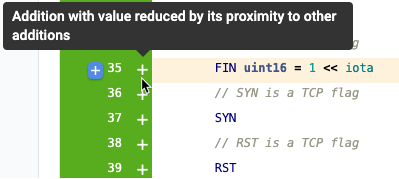
Definition: Added lines are brand new lines that are distinct, excluding lines that change an existing line (labeled "Updates").
How to recognize them: All additions are marked by a 🟩 green-colored margin at the start and end of the code line.
Diff Delta Contribution: Each added line of code counts for up to 10 points. As with Updated lines, the score depends on the length of the added line. Lines that are less than 25 characters will less than the total 10 points. The maximum "Add" score is reserved for substantial lines (words-not symbols or spaces, longer than ~25 characters) when the added line is surrounded by pre-existing code. "Greenfield additions," where many lines are added to a file in a short period of time, are also given less than the full score, since more lines added = more code to maintain in the long run. Diff Delta seeks to incentivize the most concise repo possible.
linkDeletion

Definition: Deleted lines are lines that are completely removed from the file.
How to recognize them: All additions are marked by a 🟥 red-colored margin at the start and end of the code line.
Diff Delta Contribution: Each deleted line of code can count for up to 25 points. Our experience is that deleted code means less code, which is more impactful for the long-term benefit of the codebase, and such changes are weighed more heavily than any other type of change.
The most valuable code to remove is generally the oldest code. However, the high scores apply only to real removal -- where a substantial line of code is deleted from the repo. Moved code, find/replace operations on old code, or deleting old code and then re-adding: all amount to about zero Diff Delta.
linkMove

Definition: A line that is cut and pasted to a different place.
How to recognize them:
Moved lines are marked by a ⬜ gray-colored margin at the start and end of the code line.
The original moved line number has a red colored arrow icon.
The updated moved line number has a green colored arrow icon.
Diff Delta Contribution: Moved code (about 30% of all changed lines) is assigned no Diff Delta.
linkUpdate

Definition: An updated line is an existing line that was partly changed or tweaked.
How to recognize them: Updated lines are marked as follows:
The after section of the diff has a 🟦 blue colored margin at the start and end of the code line.
The before section of the diff has a 🟥 red colored margin.
Both the after and before lines are marked by the step-forward icon.
Diff Delta Contribution: Updates can count for up to 20 points. More points are ascribed to changes that modify lines that have not changed in a long time (more effort to understand their context), and when the change involves a substantial portion of the line. When an updated line only changes whitespace or symbols, no Diff Delta is given. When the update involves a string that is being replaced in many locations, that is labeled "Find & Replace" and scored accordingly.
linkFind & replace

Definition: Find and replaced lines are recognized by a pattern of change where the same string is removed from 3+ locations and substituted with consistent replacement content.
How to recognize them: "Find and replace" lines are marked by a 🟪 purple colored margin at the start and end of the code line.
Diff Delta Contribution: "Find and replace" lines are worth up to 3 points.
linkCopy/paste

Definition: Copy-pasted lines are recognized by identical line contents that are pasted to multiple locations, across one commit or adjacent commits. Copy/paste designation is not applied to: Keywords, lines that only change whitespace, or Repo-Specific Idioms. A line must appear in at least three locations to be considered copy/paste.
How to recognize them: Copy-pasted lines are marked by a 🟪 purple colored margin at the start and end of the code line. When you hover over the copy/paste icon, we'll list other places that the copy/pasted line exists.
Diff Delta Contribution: Copy/pasted code is assigned no Diff Delta.
linkNo-ops

Definition: One of the most common types of code change is the "no-op." This encompasses all changes to white space, blank lines added, and lines whose only change was their line number.
How to recognize them: No-op lines can be marked by a 🟩 green-colored margin or a 🟥 red-colored margin for whitespace changes.
Diff Delta Contribution: No-op lines are assigned no Diff Delta.
linkLanguage-specific idioms recognized by Diff Delta
Assuming you're using one of the 40 programming languages we have built a custom parser for, Diff Delta will additionally recognize a few other concepts.
linkKeywords

About 5-10% of all lines of code are language keywords. Regardless of whether they're added, deleted, or moved, they're transparent to Diff Delta.
linkComments
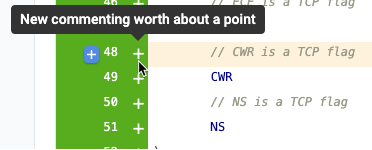
Because it's trivial to add or delete large swaths of comments, and because much boilerplate comes in the form of comments, they are afforded negligible Diff Delta.
linkMultiline statements

As a matter of taste, some projects and committers prefer to spread declarations across multiple lines. From the standpoint of Diff Delta, the entire declaration is treated as a single line, since it could have been represented as such.
linkInclude, import, require statements

Some languages make heavy use of include statements to avail functionality within modules. These statements do not unto themselves contribute value, and so are afforded negligible Diff Delta.
linkContext considered by Diff Delta
The "action detected" is combined with our assessment of the line's context to yield our final estimate of cognitive load. Here are a few types of context recognized by GitClear:
linkProximal changes
A line that is changed alongside 10 other lines generally requires less cognitive load than a standalone line that is changed. The former situation describes most new features implemented, whereas the latter implies a targeted bug fix that probably took some research to pinpoint.
linkChurn
Has the line been changed previously within the last couple days? If so, its Diff Delta is spread across all the commits that changed the line.
linkFile type
It's generally easier to write a line of CSS than a line of Python. We estimate scalars for each file type based on the level of redundancy we detect in that file within your project. Admins can modify these scalars on a per-project basis to account for their own sense of the relative difficulty of contributing a line to various types of files.
linkKeywords and syntactic lines
We detect usage of known keywords in file types, and allow the admin of a GitClear project to define additional patterns born of language or project convention. Such lines are assigned little to no Diff Delta.
linkComments
Similar to "keywords and syntactic lines," we detect lines of code that are comments and adjust Diff Delta for such lines (by default, comments are considered to require less cognitive load than code)
linkRepo-specific idioms
Repos often include repetitive artifacts: copyright notices, beginning of file templates, or function delimiters like
... are a few types of Repo-specific Idioms we encounter. GitClear indexes non-keyword content that shows up hundreds of places in the repo. These lines are treated as benign - non-copy-paste and non-Diff Delta - inert content.
linkThreading (weaving) lines together to concisely represent change
When GitClear's Commit Cruncher processes commits, it weaves together a network of line ancestry that allows GitClear to delineate between "churn"-like changes vs. "legacy code updates." The Visual Guide to Understanding Diff Delta (PDF) depicts this process on pages 13-14 and 17-18.
linkOperations in the Diff Viewer
GitClear users will find Diff Delta operations easy to recognize in the diff viewer by taking advantage of the color scheme and the icons associated with them. Each changed line comes with a tooltip that provides extra details about the code they're reviewing.
linkLine Icons
As stated in the previous section, every operation type is described by a special color that helps easily identify them.
Paired with the line color, generally, an operation is also marked by a special icon:
Operation Type | Addition | Deletion | Move | Update | Copy/Paste | Find/Replace |
Icon |  |  |  |  |  | |
linkMulti-line declaration
A GitClear user can sometimes see a different type of icon (as seen below), that indicates that the current line is part of a multi-line declaration.

When a line is marked as a multi-line declaration, the user should take note that the line shouldn't be reviewed by itself, but instead, seen as part of the context described in the lines above (as indicated by the arrow-up icon).
Note: The multi-line declaration icon can be associated with any of the operation types recognized by GitClear. In this scenario, the operation type should be identified by the color of the changed line.
linkLine Tooltips
Each line comes with a descriptive tooltip that conveys more information about the origin, operation, and Diff Delta details of the line.
To see the tooltip, you'll need to hover over the icon next to the line number.
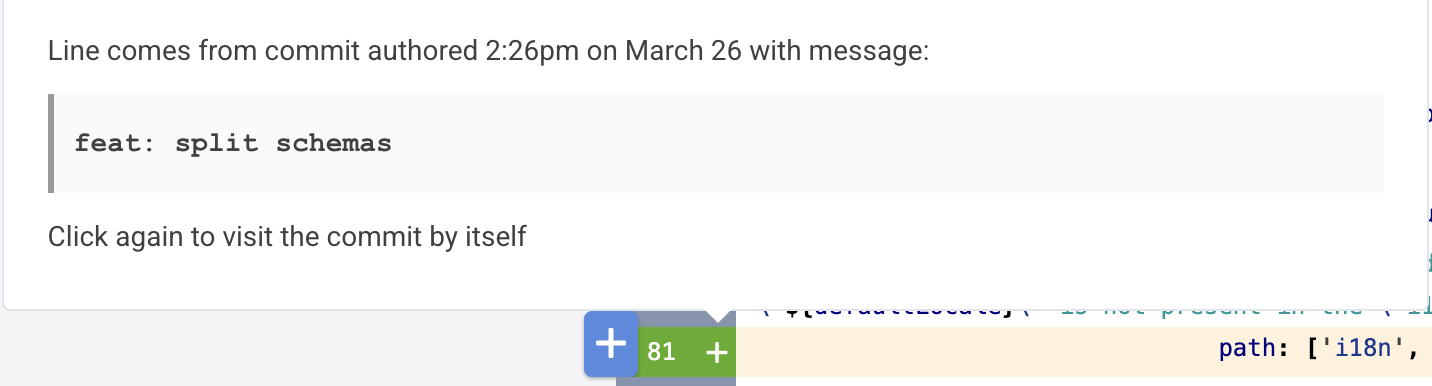
To help set the context of when the line was created, every line tooltip has a section dedicated to explaining the origin and git provider details of the target diff line.
linkTypes of tooltips
Each tooltip differs based on the context of the target line. Here's a rundown of the types of tooltips you'll encounter:
Updated Line Tooltip
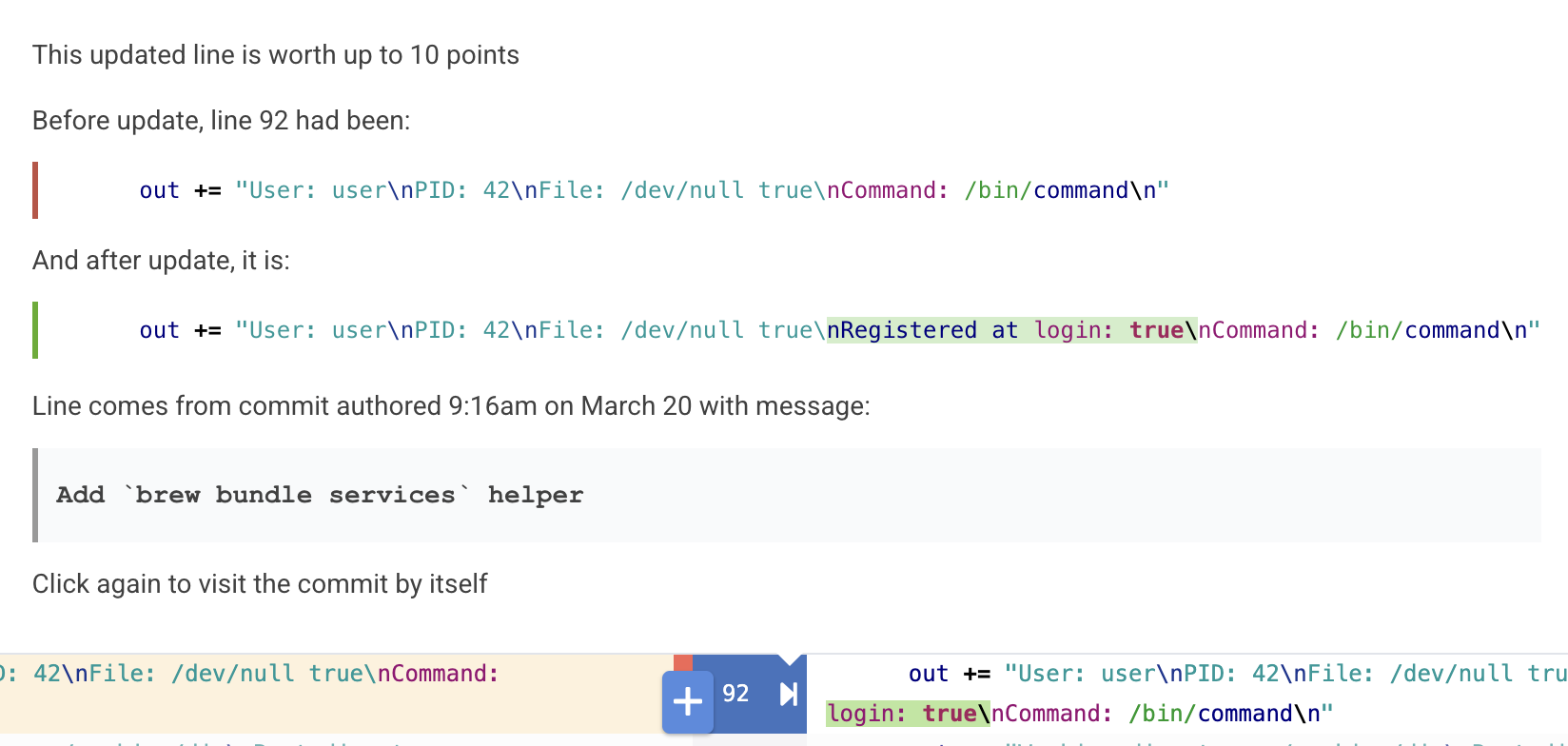
Updated lines are accompanied by a tooltip that presents the 1-to-1, before-and-after comparison of the changed line making it visually easier to spot what's changed and what hasn't.
Note: Since find and replaced lines are defined by the same change pattern repeated multiple times, their tooltips will be the same as for the updated lines, showing the before and after versions of the line.
Moved Line Tooltip

Moved lines get a lot of attention in their tooltips to help reviewers understand the context and the motivation behind why those lines were moved.
Specifically, in this tooltip a user should be able to:
see where this line is coming from / where it was moved,
look at the previous/future code context of the moved line
click on the link to open a new tab at the other location to better compare the 2 versions of the code.
Copy/Pasted Line Tooltip
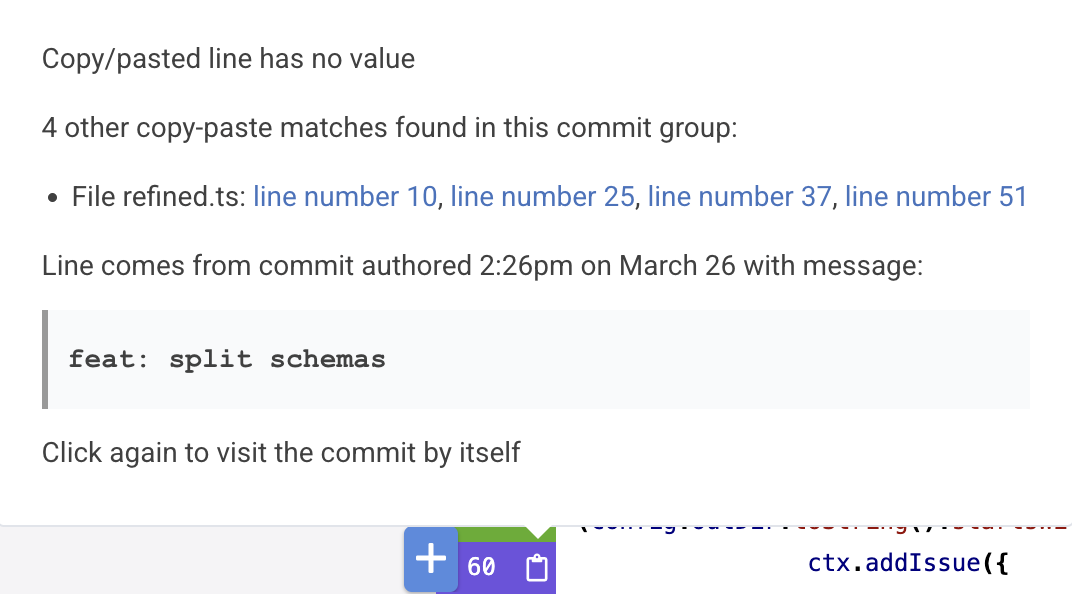
Tooltips for copy/pasted lines help the reviewer locate the other places in the code where this line was duplicated.
For a specific copy-pasted line, we have a list of all the files where this exact change has occurred. Additionally, for each file, there is a list of line numbers where this exact line can be found.
For the example in the image above:
We have the linectx.addIssue({for which there have been identified4 other copy-pasted matches, located in filerefined.tsat line numbers:10, 25, 37, and 51.