YouTube Embed Plugin Note
name | YouTube Embed Plugin |
icon | smart_display |
description | Embed a YouTube video inline in note content |
instructions | Type 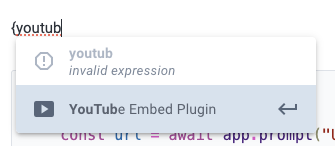 Paste the URL of a YouTube video: 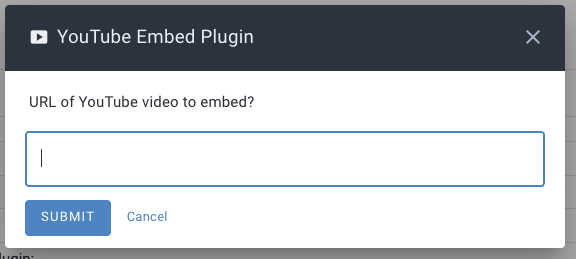 and you'll have an embedded YouTube video: 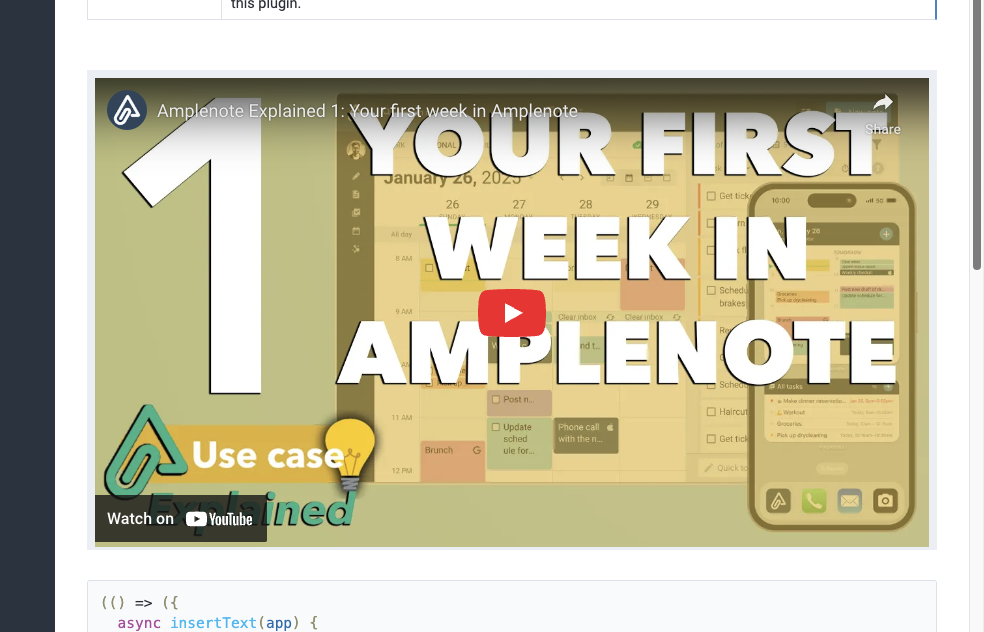 This plugin can additionally enable embedded YouTube videos in notes you publish. To do so, include an embedded YouTube video created by this plugin in a public note, then publish the note that is your copy of this plugin. |
(() => ({
async insertText(app) {
const url = await app.prompt("URL of YouTube video to embed?", { inputs: [ { type: "string" } ] });
if (!url) return null;
const match = url.match(/(?:youtube\.com\/(?:.*v=|v\/|embed\/|shorts\/)|youtu\.be\/)([a-zA-Z0-9_-]{11})/);
if (match) {
const videoId = match[1];
app.context.replaceSelection(
`<object data="plugin://${ app.context.pluginUUID }?${ videoId }" data-aspect-ratio="1.77" />`
);
} else {
await app.alert("Invalid YouTube URL");
}
return null;
},
renderEmbed: {
check(app) {
return app.context.renderEmbedTarget !== "notesDashboard";
},
run(app, videoId) {
return `
<div style="display: flex; justify-content: center;">
<iframe
src="https://www.amplenote.com/youtube-embed-proxy/${ videoId }"
frameborder="0"
allow="accelerometer; autoplay; clipboard-write; encrypted-media; gyroscope; picture-in-picture"
allowfullscreen
style="aspect-ratio: 16/9; width: 100%;"
></iframe>
</div>
`;
},
},
}))()