
linkQ3 2025: Task Streaks, Completed Task Exploration, and the Evolution of Victory Value
Q3 2025 marks a pivotal shift in Amplenote's journey toward making productivity profoundly personal. Building on Q2's introduction of Victory Value and mood tracking, we've supercharged your ability to analyze completed tasks—by tag, month, or alongside daily moods—to uncover patterns in what truly drives your best days. Add in Task Streaks for habit-building gamification, tag-level task limits for sanity, and a host of refinements, and this quarter's theme emerges: turn yesterday's wins into tomorrow's strategy.
As Autumn leaves fall, your Amplenote gains tools to prune low-value tasks and nurture high-impact habits. Whether filtering task creation times to spark creativity or assigning custom Victory Values to celebrate big accomplishments, these updates help you iterate toward a life with more +2 days and fewer slogs.
Side note to fellow builders: This post started life as a changelog + Grok-4 mash-up. After 2 hours' TLC, the following is where we landed (yes, even bots need editors).
link🏆 Headlining Features
A suite of upgrades to transform task completion from checkbox to insight engine.
linkTask Streaks: Build habits using the Duolingo strategy 🔥
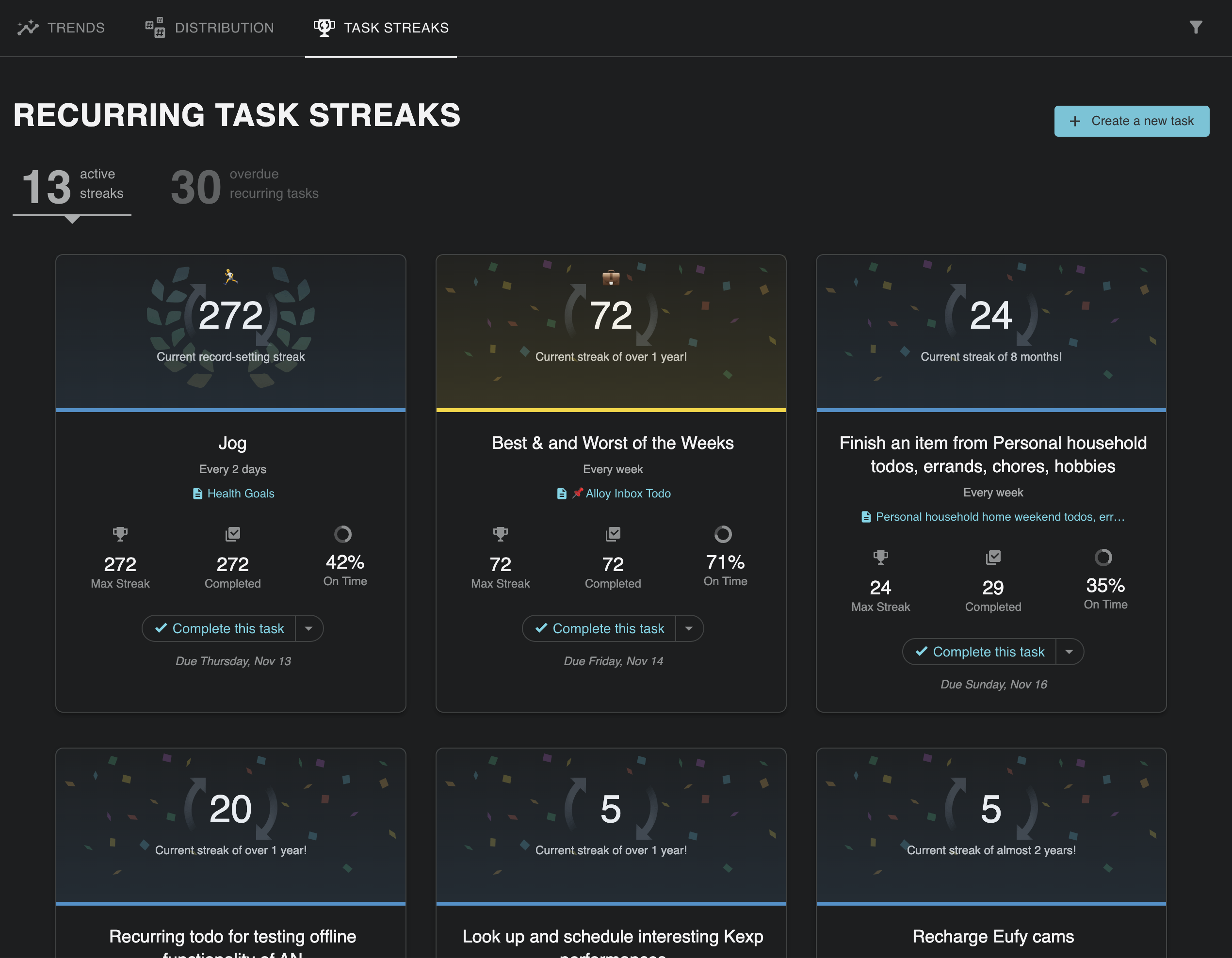
Gamify your recurring tasks—build streaks, earn Victory Value bonuses, and watch habits stick.
Inspired by language apps, Task Streaks reward consistency on recurring tasks. Complete on schedule to grow your chain; miss a day and reset. Streaks integrate with Victory Value, amplifying scores for sustained habits. Perfect for daily journaling, exercise, or skill-building—now your todo list coaches you toward unbreakable routines.
linkBrowse Completed Tasks by Tag
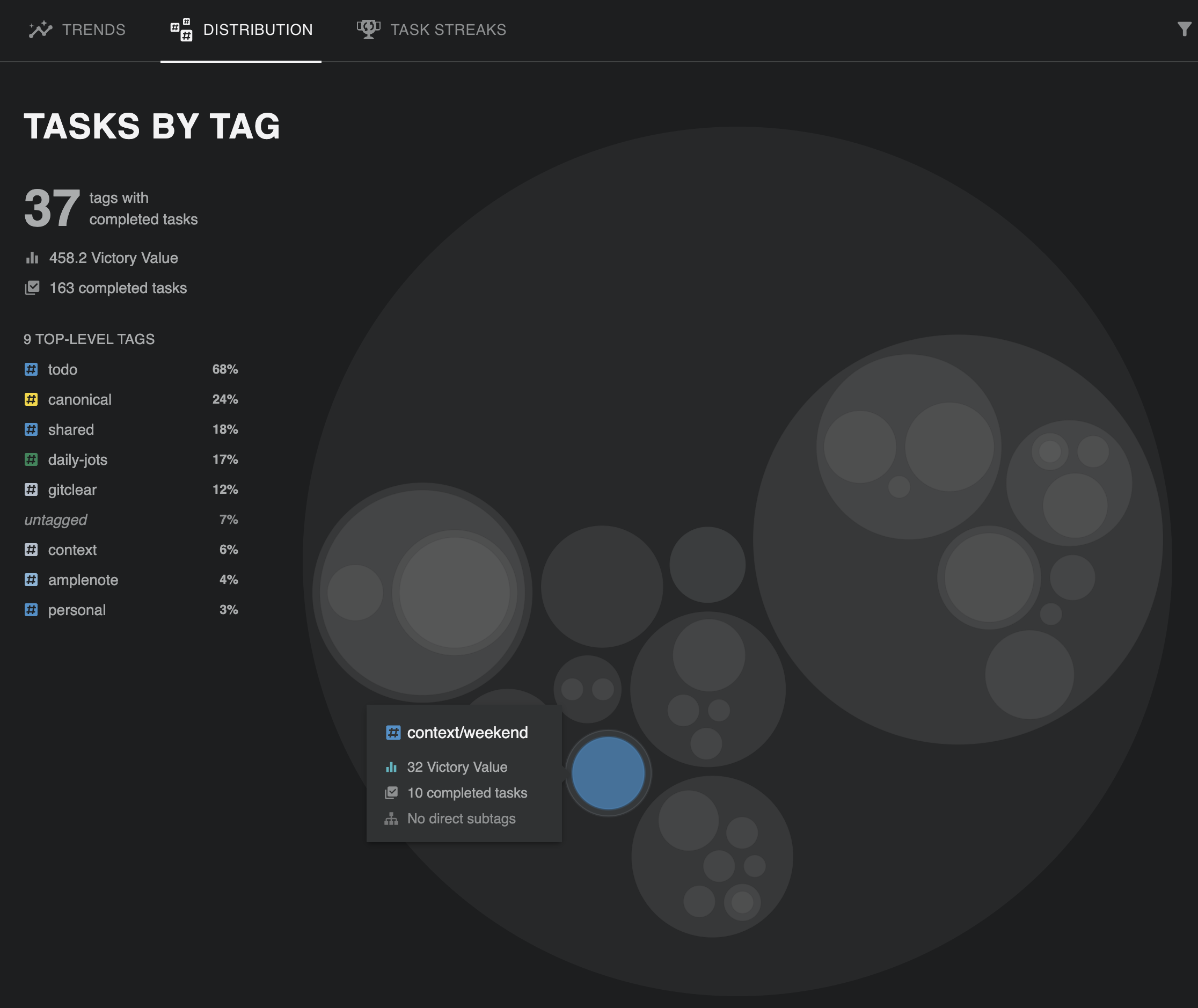
Filter your wins by #tag to analyze productivity patterns.
Dive into your archive: view all completed tasks under a specific tag, complete with Victory Values and mood correlations. Spot trends like "#deepwork" yielding consistent +1.5 mood boosts.
linkBrowse Completed Tasks Alongside Mood Per Day
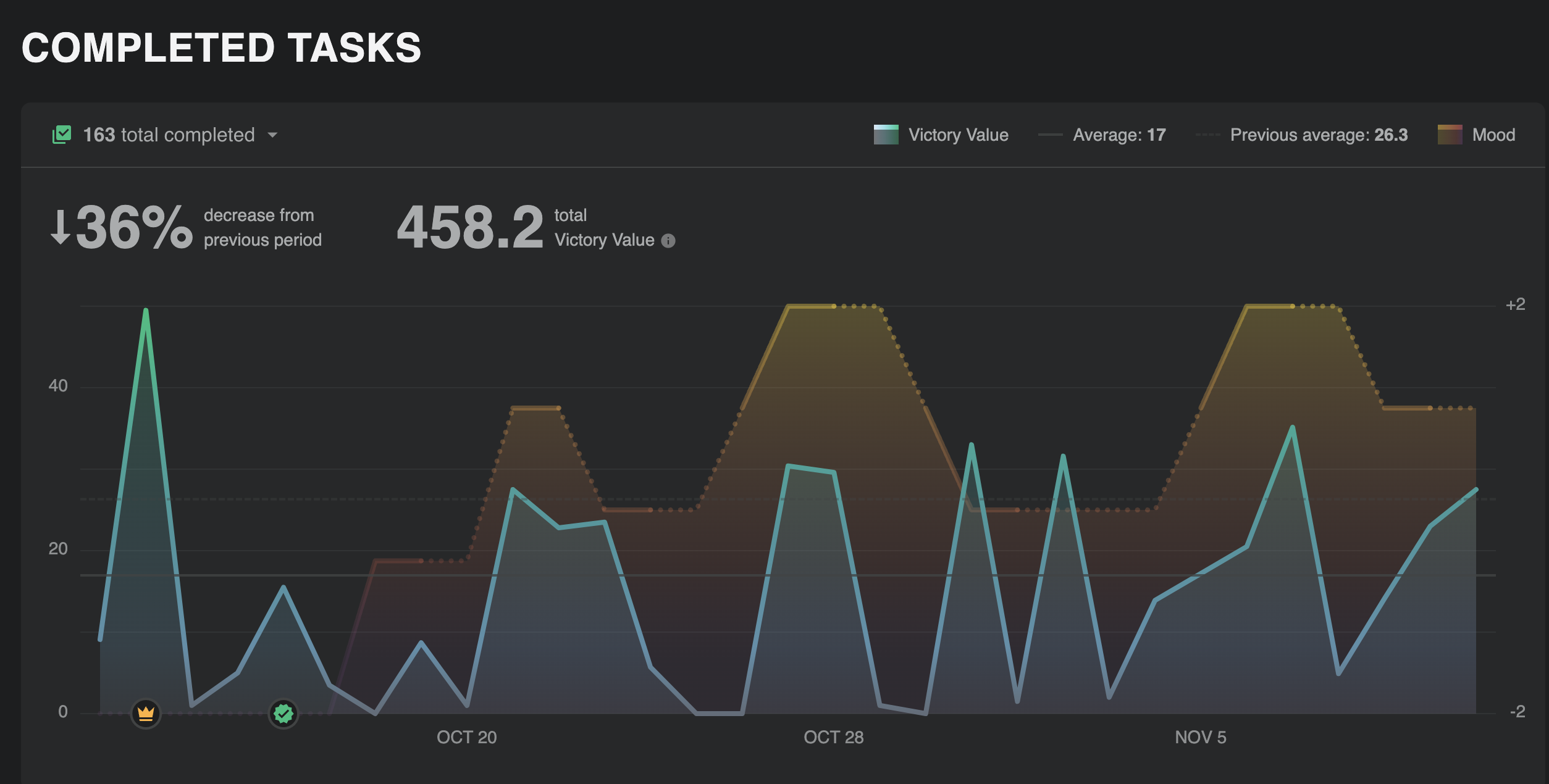
See tasks and moods side-by-side to connect actions with feelings.
Visualize your day: completed tasks listed next to mood ratings to uncover correlations—did that "#exercise" task precede your +2 day?
linkNavigate Completed Tasks by Month
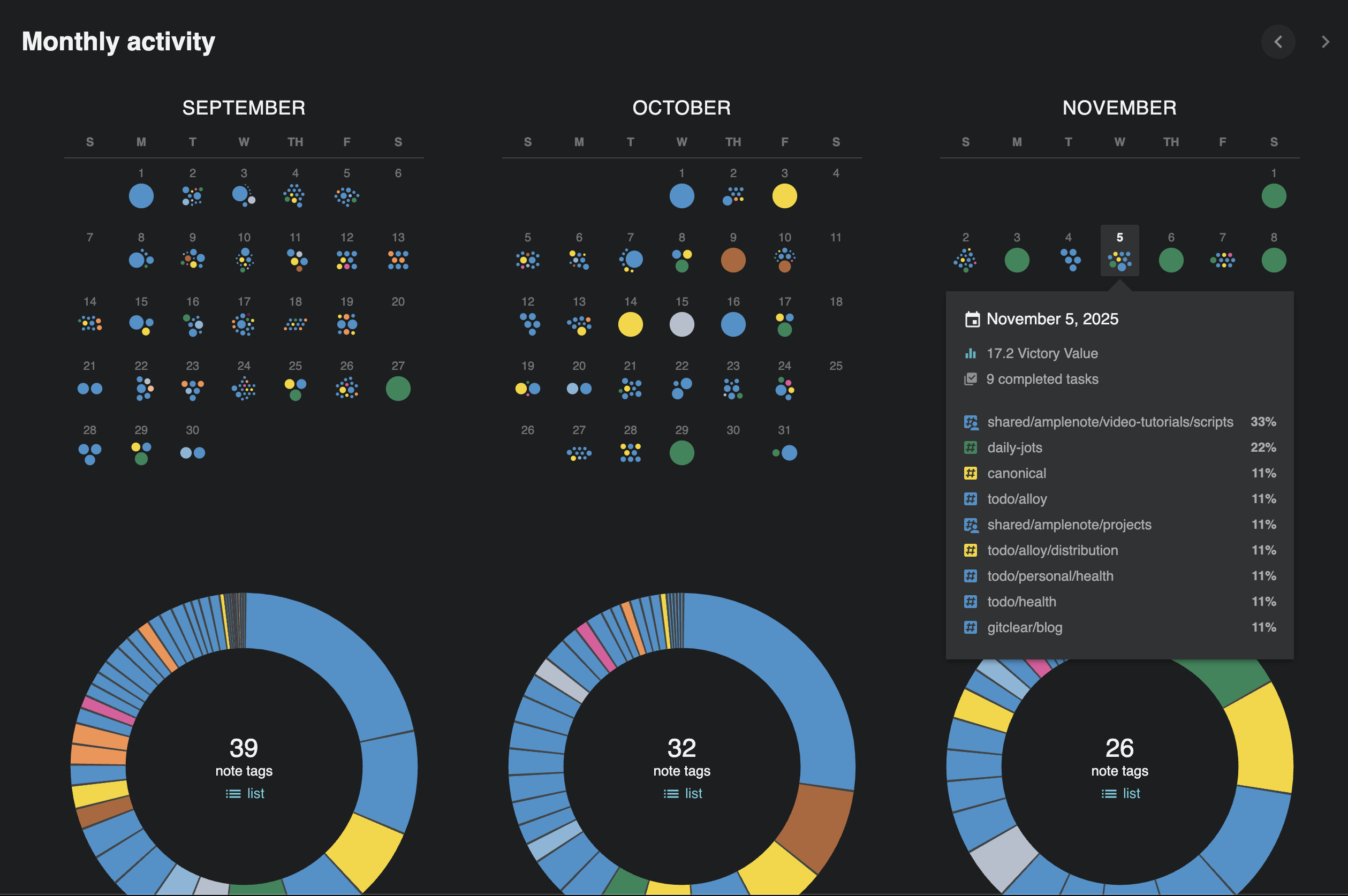
Flip through months like a calendar of accomplishments.
Time-travel your productivity: browse completed tasks month-by-month, aggregating Victory Values for seasonal insights.
link🚀 More Big Improvements
linkBrowse Completed Tasks via New Toggle
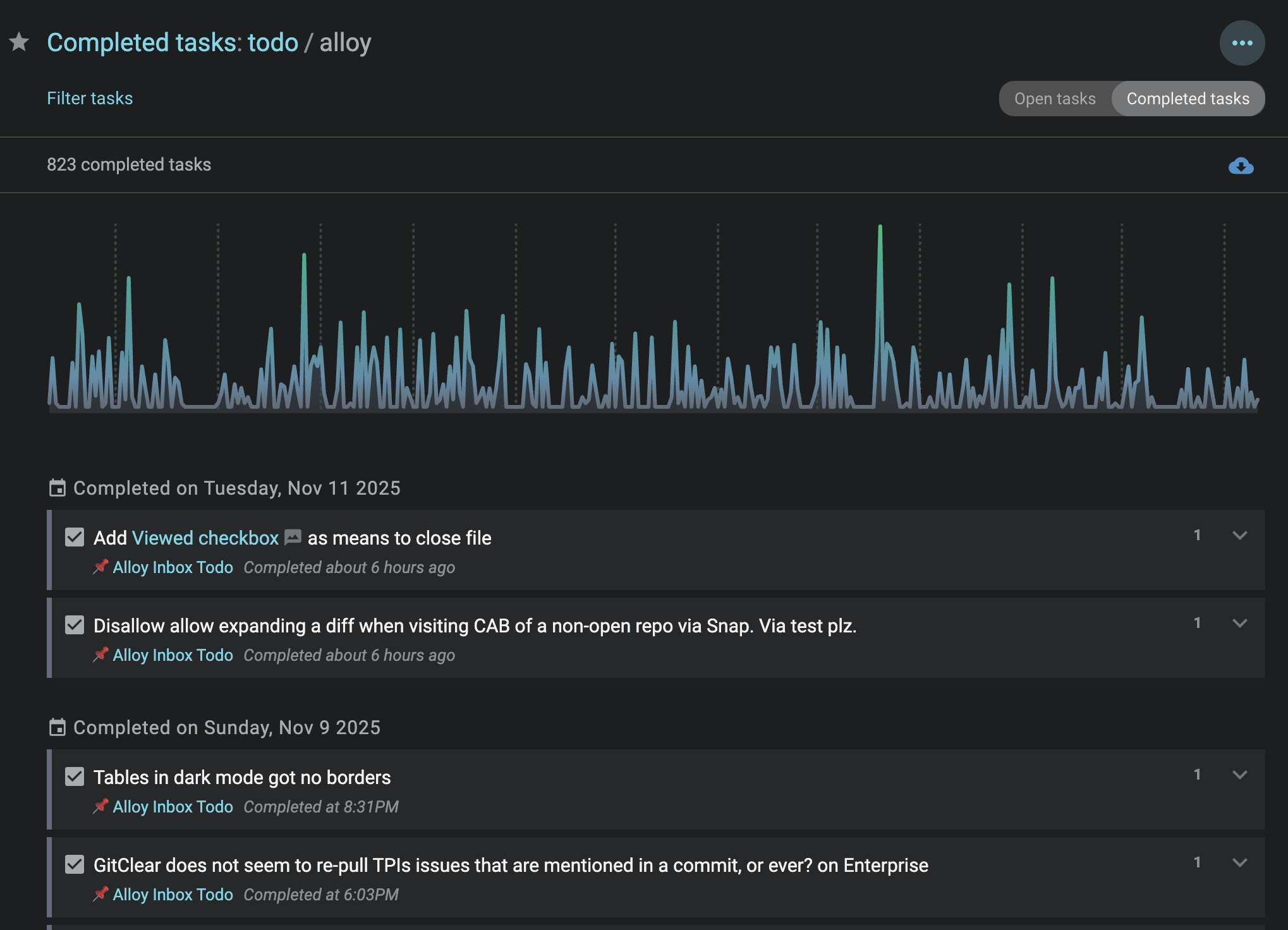
Quick-switch to view hidden completions.
Easily surface completed tasks in any note or pane with a simple toggle—ideal for reviewing progress without clutter.
linkFiltering on Tasks Pane for "Created" and "Completed" Times
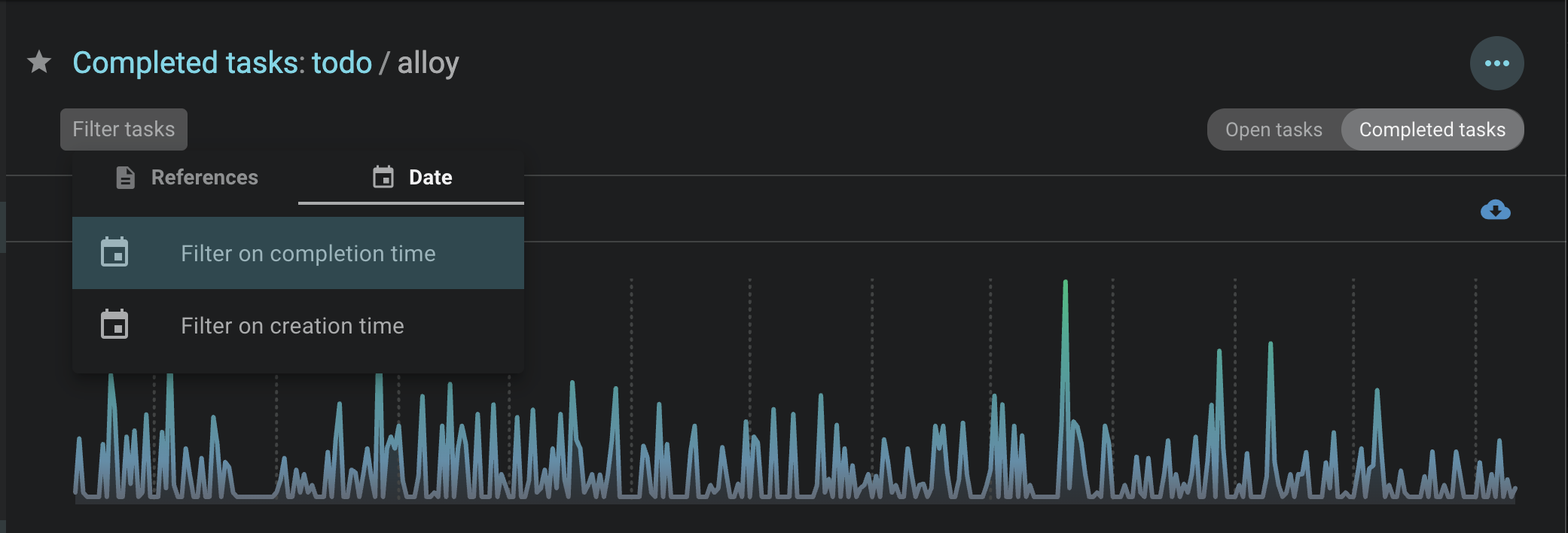
Pinpoint when your best ideas strike.
Sort and filter tasks by creation or completion timestamps to identify peak creativity hours to fuel for optimizing your schedule.
linkNew Dropdown Menu for Completed Tasks
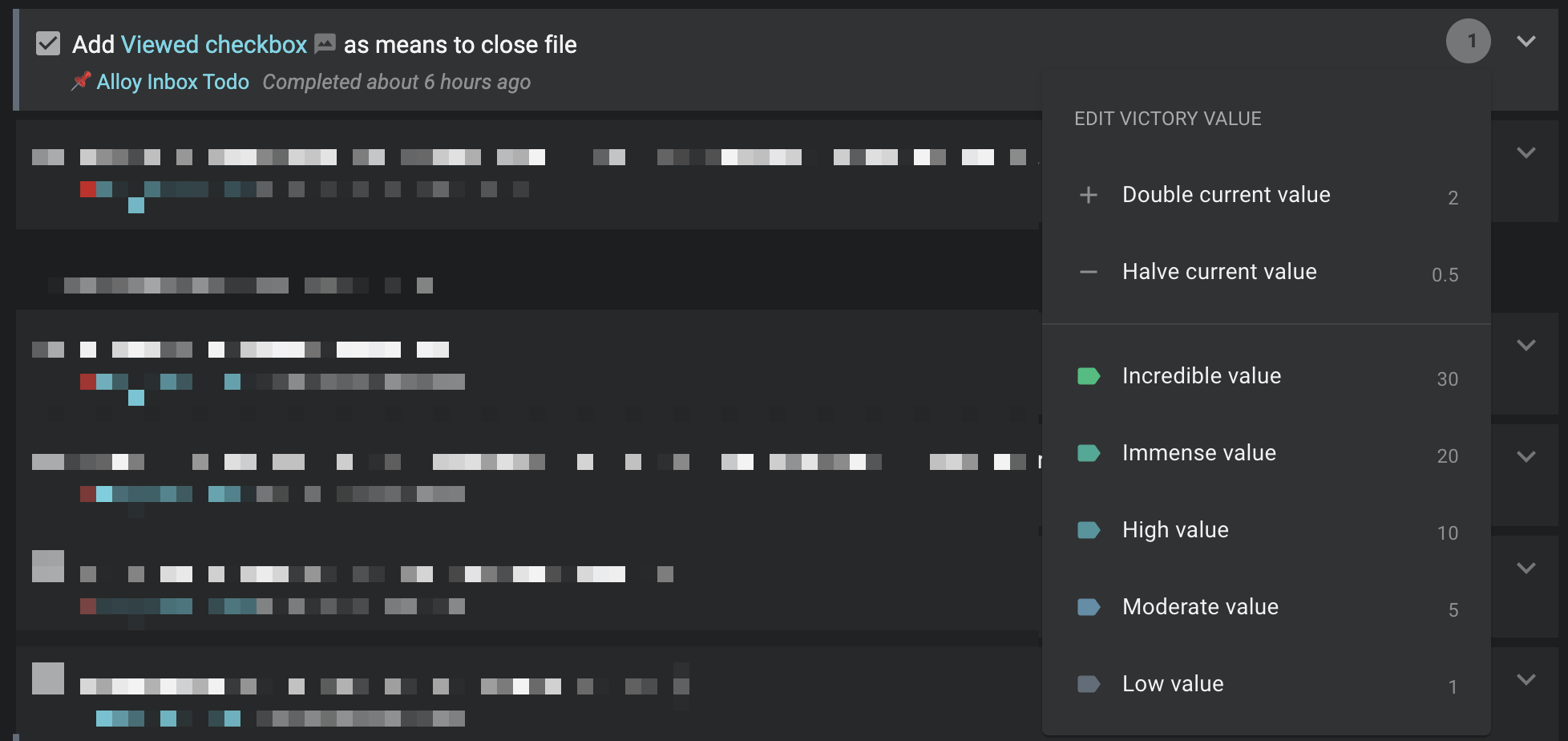
Fine-tune Victory Values post-completion.
Adjust Victory Value retroactively via a new menu—assign custom scores to reflect true impact.
linkPeek Viewer: Sticky Headers, a Founder Favorite
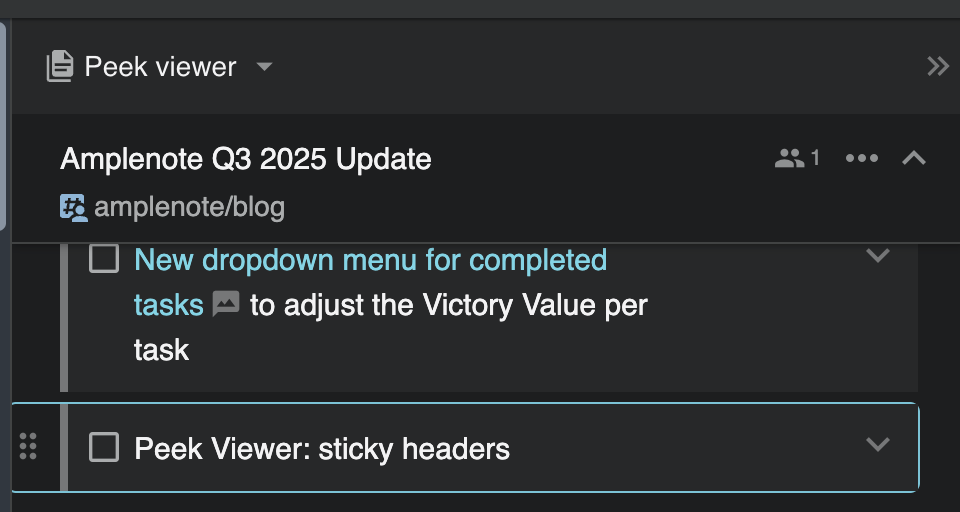
Always know your context, no matter the scroll.
Sticky headers in the sidebar Peek Viewer keep note titles and options visible—easier navigation for deep dives.
linkMobile App Updates
Android performance boosts, especially on lower-end devices, plus smarter note syncing before app launch for instant access.
linkAdditional Upgrades
Note Link Menu Expansion: Shows 20+ matches (up from 5) when linking notes.
Past Task Instances: Click tasks in stats to view historical completions.
Amplecap Bookmark Keywords: New for streamlined web saves details.
Set Max Task Target per Tag: Cap open tasks by tag for Jots users—visual progress indicators included.
Highlight Overdue Tasks: Visual cues in the task pane.
Convert Rich Footnote to Note: One-click promotion for text and images.
Inline Audio Support: Upload and play audio in editors or footnotes ✨.
Deadlines on Calendar: Highlighted even without start dates (web/desktop).
Task Reminders: Enhanced notifications (screenshot in Snap Changelog).
Victory Value in Note Panes: Displayed for all completed tasks with custom assignment options guide.
Create Tag in Selection Tools: Press Enter to make new tags in Notes/Graph view issue.
Full-Page Plugin Embeds: Open Excalidraw etc. in sidebar via openEmbed call.
linkMinor Power-ups
Web Offline Caching: More resilient to connectivity issues.
Editing Marks Note as Opened: Improves sorting accuracy.
Multiple Plugin Windows: Run concurrent drawings or Ample Copilot searches.
link🔮 Looking Forward
Q3 fulfilled our promise to deepen task insights and habit support. Now, we're turning outward: expect Amplenote Social with Accountability Group Goals for community-driven motivation, automatic local note persistence in Desktop for OS AI integration, and AmpleAI Pro—our first paid plugin for premium LLM access and task/scheduling assistance. These join ongoing battles like ubiquitous slash menus and global desktop capture. Your votes on the feature board guide us—keep 'em coming!